
Summary
Editor's rating
Value for money: pricey, but the image and bundle justify it for some
Design and handling: smart, but you need to baby those lenses
Battery life and storage: no more constant power anxiety
Durability and weather: tough body, fragile optics
Image quality and stabilization: finally 360 that doesn’t look mushy
What you actually get with the Adventure Combo
How it actually fits into real use: sports, vlogs, and daily clips
Pros
- Noticeably better 360 image quality and low‑light performance than older Insta360/GoPro 360 models
- Adventure Combo gives you 3 batteries, internal 105 GB storage, and Invisible Selfie Stick for all‑day shooting
- Magnetic quick‑release and 1/4" thread make mounting fast and flexible; integrates well with other DJI gear like DJI Mic
Cons
- Mobile DJI Mimo app is clunky for editing and not on Google Play for Android
- Exposed 360 lenses are easy to damage and not user‑replaceable, so you need to be very careful

Specifications
View full product page →| Brand | DJI |
A 360 camera that finally feels usable day-to-day
I’ve been messing around with 360 cameras for a while — a couple of Insta360 models and an older GoPro Max — and I usually end up leaving them at home because the image is soft or the workflow is a pain. I picked up the DJI Osmo 360 Adventure Combo to see if it would actually replace my regular action cam for biking, skiing and some travel vlogging. I’ve used it for about two weeks, a mix of mountain biking, walking city shots, and a short cold/rainy hike.
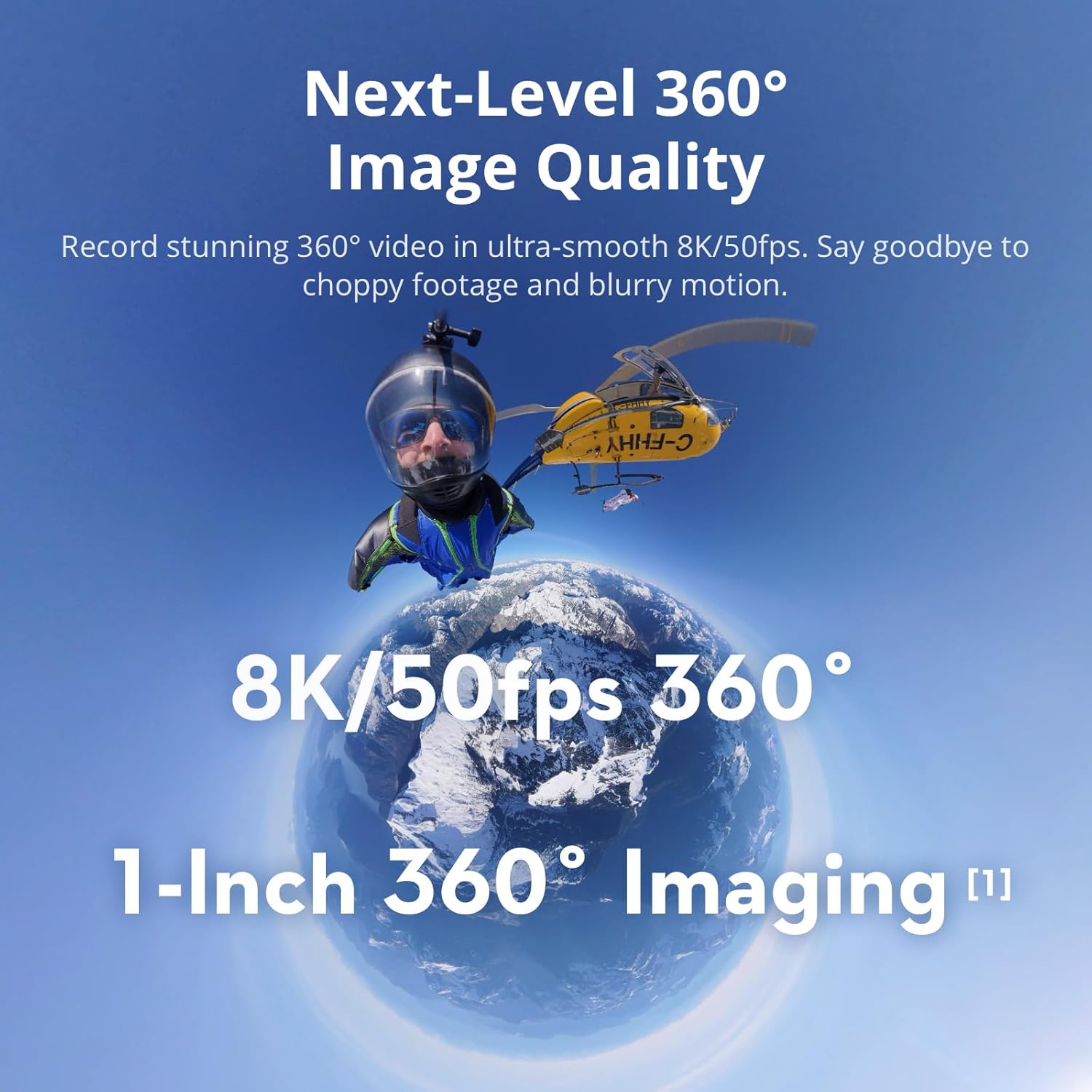
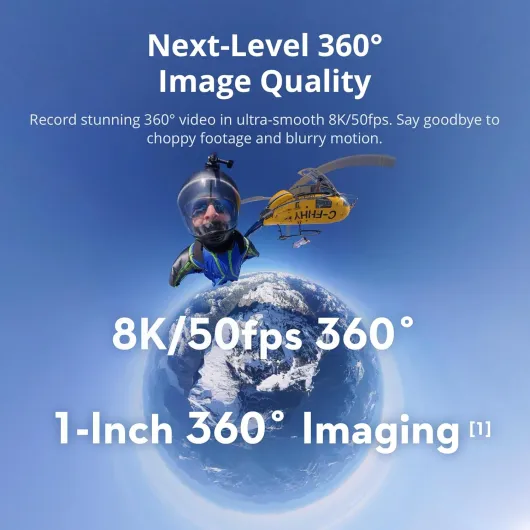
The short version: the image quality is clearly a step up from the 360 stuff I’ve used before, especially in low light and when you punch in for normal 16:9 video. The 1‑inch 360 setup and 8K recording aren’t just marketing here; you really see more detail and less mushy noise, especially at dusk or indoors. It’s not perfect — it can still look a bit processed if you zoom too much — but it’s the first time I didn’t feel I was sacrificing quality just to get 360.
On the other hand, the software side is still a bit annoying. DJI Studio on PC/Mac is fine, but the DJI Mimo phone app is clunky for editing, and on Android you even have to sideload it from DJI’s site because it’s not on Google Play anymore. If you’re used to editing on your phone only, you’ll probably swear a few times at the trimming tools before you get used to them or give up and use something like CapCut.
Overall, after these two weeks, I’ve actually kept the Osmo 360 in my bag instead of my regular action cam, which says a lot. It’s not cheap and it’s not idiot‑proof, but for someone who likes to tweak footage a bit and wants 360 plus a decent single‑lens mode, it’s a pretty solid package. Just know that the camera is ahead of the app right now, not the other way around.
Value for money: pricey, but the image and bundle justify it for some
Let’s be honest: the Osmo 360 Adventure Combo isn’t cheap, especially if you compare it to older 360 cameras or basic action cams. But you’re paying for a few concrete things here: the 1‑inch 360 imaging, 8K video, three batteries, internal storage, and a full mounting/charging kit. If you actually use all of that, the price starts to feel more reasonable. If you just want to dabble in 360 a couple of times a year, it’s overkill.
Compared to Insta360’s consumer models and GoPro Max, the image quality is better, especially in low light and when reframing. That alone matters if you plan to mix 360 footage into more serious edits or if you’re picky about how your videos look on a big screen. You’re basically paying a premium to not have your 360 clips look like a blurry side dish next to your main camera. For someone who actually edits their footage and cares about detail, that has value.
On the downside, the software side drags the value down a bit. DJI Studio on desktop is fine, but the Mimo app on mobile feels behind Insta360’s app in terms of ease of use. The fact that you have to download it from DJI’s site on Android instead of Google Play is a small but annoying extra step. If you mainly edit on your phone and like quick social edits, you might find the workflow more frustrating than with Insta360.
For me personally, after using it for two weeks, I’d say the value is good if you’re serious about 360 and action sports and plan to use it regularly. The Adventure Combo makes sense because you don’t have to buy extra batteries and a pole separately, and you get that internal storage safety net. If you’re on a tight budget or just curious about 360, I’d look at cheaper 360 options first. But if you want one solid 360/action setup that you can rely on for trips and sports, this combo is a pretty solid investment, with the main trade‑off being the slightly annoying app.
Design and handling: smart, but you need to baby those lenses
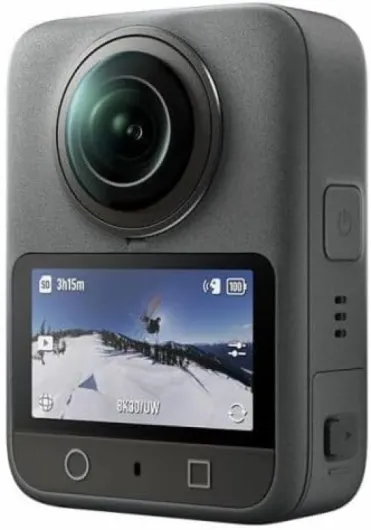
The Osmo 360 has the usual 360‑cam shape: a compact brick with a fisheye lens on each side. It’s about 8.1 x 6 x 3.6 cm and just under 200 g with a battery, so it’s small enough to mount almost anywhere. The magnetic quick‑release system is honestly one of the best design choices here. You can snap it on and off the adapter mount in a second, which is handy when you’re switching between 360 mode and a standard action cam or moving it between helmet, chest, and pole. I never had it pop off accidentally, even with MTB vibrations.
The flip side of the design is the obvious one: the lenses stick out and are fragile. Just like on other 360 cams, one bad drop on concrete and you’re done. DJI gives you a rubber lens protector and a pouch, and you really need to use them. I caught myself obsessively putting the rubber cap back on every time I put the camera down. If you’re clumsy or you lend gear to friends, keep that in mind. There’s no quick DIY lens replacement like on some GoPro models; if you scratch it badly, you’re dealing with support or living with ugly flares.
Button layout is straightforward: a power/record button combo and a small touchscreen. The screen is usable but not big; it’s mainly for changing modes and framing roughly, not for reviewing footage in detail. In bright sun, it’s just okay — not unreadable, but you’ll shade it with your hand sometimes. The menus are fairly logical, though there are a lot of options if you dive into resolutions, frame rates, and modes like Boost video and 360 photos.
In terms of "feel in the hand", it’s pretty good. The grip is enough that it doesn’t feel like a soap bar, even with gloves. The build feels solid, no creaks, and the waterproof, cold‑resistant housing did fine in light rain and about 0°C wind on a hill walk. So as a tool, the design is practical and thought‑through. Just don’t forget that one stupid fall can ruin a lens, and protect it like you would a phone without a case on concrete.
Battery life and storage: no more constant power anxiety
The Adventure Combo leans hard on the "shoot all day" promise, and in practice it’s pretty close. You get three Extreme Battery Plus packs, and each one gave me roughly 70–90 minutes of mixed use at higher resolutions, depending on temperature and whether I was doing a lot of Wi‑Fi/app stuff. DJI advertises up to 190 minutes in ideal conditions; I never hit that, but I also wasn’t babying it. For real‑world use (short clips, some standby, some scrolling menus), having three batteries is simply comfortable.
The multifunctional battery case is actually useful, not just a plastic box. It charges all three batteries plus can top up your phone or camera over USB‑C like a small power bank. For travel or a full day on the mountain, that’s handy: you can throw the case in your bag, swap batteries between runs, and refill them during a lunch break if you have a power source. It also keeps them organized, which sounds minor but matters when you’re digging in a backpack with cold fingers.
On top of that, the 105 GB of internal storage really reduces stress. I did one session where I shot only to internal memory, and it was enough for a few hours of on‑and‑off recording in 5.7K and 8K clips. I only hit the limit when I forgot to delete old test footage. When you add a V60 microSD card, you basically stop thinking about space unless you’re recording very long continuous sessions.
Downsides: charging everything still takes time. If you fully drain three batteries, expect a decent chunk of time plugged in. Also, the camera can get warm during long 8K recording sessions, especially indoors. Mine didn’t overheat and stop, but it was warm to the touch. If you’re planning to record long, continuous 8K events in a hot environment, just be aware. Overall though, for action sports and travel clips, the combo of three batteries plus internal storage is more than enough and genuinely reduces the usual "is the battery red yet?" stress.
Durability and weather: tough body, fragile optics
Physically, the Osmo 360 feels solid in the hand. The body is compact and dense, and it handled a bit of rain, cold wind, and some light knocks in my bag without any issue. It’s water‑resistant and cold‑resistant, and I had it out around 0°C with wind and some drizzle. No fogging, no weird behavior, and all the buttons still clicked fine with light gloves on. For typical outdoor use — hiking, biking, skiing — the housing itself seems up to the task.
The weak point, like every 360 camera, is the exposed lenses. They’re big fisheye domes on each side, and if you drop the camera on a hard surface, you’re probably going to cry. I didn’t drop mine (I’m paranoid), but just looking at how far they stick out, it’s obvious that one bad impact will scratch them. And on a 360 camera, a scratch is very visible in every shot. You do get a rubber lens protector in the box, and I used it religiously whenever the camera wasn’t actively rolling.
Mounting-wise, the magnetic quick‑release felt secure even with MTB vibrations and some light jogging. I didn’t trust it enough to mount on the outside of a car at high speed, but for helmets, chest, and poles, it felt fine. The 1/4" thread also means you can use standard tripods and clamps. The Invisible Selfie Stick survived being shoved into a backpack and leaned on a few times without bending or loosening.
So overall, I’d say: body is tough, optics are fragile. This is not the camera you casually toss into a bag with keys and metal tools. If you’re careful and use the pouch and rubber cap, it should hold up well. If you know you’re rough on gear or share it with people who don’t care, you might want to budget for protective cages or just accept that at some point, you’ll scratch a lens and be annoyed.
Image quality and stabilization: finally 360 that doesn’t look mushy
This is where the Osmo 360 actually earns its price. The combo of 1‑inch 360 imaging and 8K 360 video is not just a buzzword. Compared to my Insta360 One X2 and an old GoPro Max, the difference in detail is obvious, especially once you reframe to a normal 16:9 shot. Faces, trees, rocks — everything holds up better when you punch in. You can still make it look soft if you crop aggressively, but you have more room before it falls apart.
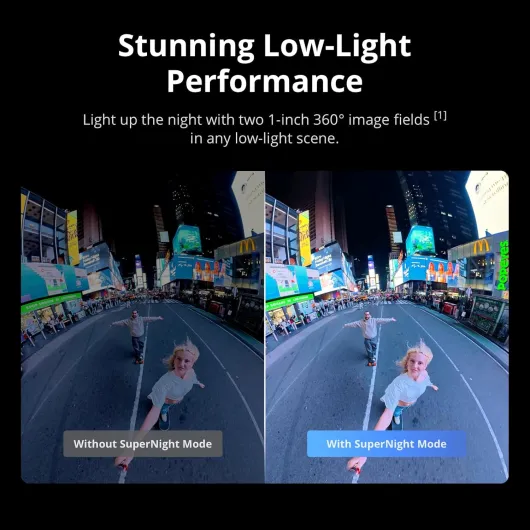
In low light, it’s clearly ahead of the older 360 stuff I’ve used. I tried some quick walking shots at dusk in the city and in a dim trail section in the woods. With the Osmo 360, the footage is less noisy and less smeared. You still get some noise and a bit of smoothing, but it looks more like a decent action camera and less like a security camera. For indoor vlog‑style 360, it’s finally usable without looking like a potato, as long as you don’t expect cinema quality.
Stabilization is solid. I mounted it on my MTB handlebars and on the Invisible Selfie Stick while walking and jogging. The horizon stayed locked, and bumps were handled well. It’s not magic — very rough impacts still show up — but for normal MTB, skiing, or running, it’s absolutely fine. The 4K/120 fps Boost video mode is nice if you want slow‑motion in a more traditional wide view. I used that a bit for jumps and it looked clean enough, though not as sharp as a dedicated non‑360 4K action cam when you pixel‑peep.
One small downside: 8K 360 files are heavy and not every computer loves them. On my mid‑range laptop, scrubbing through 8K 360 in DJI Studio was okay but not super smooth. If you’re on an older machine, you might have to drop to 5.7K or accept slower editing. Overall, though, for the kind of user who cares about image quality more than pure convenience, the Osmo 360’s performance is a clear step up from the usual 360 toys. It finally feels like something you can mix into a main edit without it screaming "low quality" next to your regular camera.
What you actually get with the Adventure Combo
The Adventure Combo is basically the "don’t worry about power" bundle. In the box you get the Osmo 360 camera, three Extreme Battery Plus packs (1950 mAh), the multifunctional battery case, a 1.2 m Invisible Selfie Stick, a protective pouch, a rubber lens protector, a quick‑release adapter mount, a USB‑C to USB‑C cable, and a cleaning cloth. So you’re basically ready to go out of the box without buying extras, except maybe a fast microSD card.
One detail I really liked is the built‑in 105 GB of internal storage. In practice, this saved me on the first outing because I forgot to move my microSD from another camera. I still managed to shoot a full afternoon of 5.7K/8K clips without running out of space. It’s not bottomless, but for short sessions or if you’re the type who forgets cards, it’s genuinely useful and not just a spec sheet line.
The combo is clearly focused on people who actually go outside with this thing: you’ve got the Invisible Selfie Stick for third‑person shots, the battery case that also doubles as a charger and storage, and the quick‑release mount that works with the Osmo Action ecosystem. So if you already have DJI mounts from an Action 4, you’re mostly covered. The camera itself is compact (about 183 g) and doesn’t feel heavy on a helmet or chest mount, though the 360 lenses sticking out always make me paranoid about bumps.
In day‑to‑day use, the Adventure Combo feels like a "buy once and go shoot" package. You don’t have to immediately hunt for extra batteries or a pole. That said, you’re also paying a premium for that convenience. If you only do short clips and don’t care about filming a full day, the standard kit might be enough. But if you do sports like skiing, MTB, or paragliding where you shoot a lot and don’t want to recharge mid‑day, this combo actually makes sense instead of being just a marketing bundle.
How it actually fits into real use: sports, vlogs, and daily clips
In practice, the big question is: does the Osmo 360 actually replace a normal action cam or just become another gadget you forget at home? For me, over these two weeks, it mostly replaced my usual action cam on the bike and during walks. Being able to shoot 360 and then decide later where to point the camera is genuinely handy. For mountain biking, I could capture both the trail and my reactions without worrying about exact framing, then reframe in DJI Studio afterwards.
For vlogging, the single‑lens mode with 4K/120 fps and 170° Boost video works decently. It doesn’t completely beat a dedicated non‑360 action cam in pure sharpness, but it’s close enough that I didn’t feel I was losing much. Add in the option to connect up to two DJI Mic transmitters directly (no receiver) and the four built‑in mics for 360 audio, and you’ve got a pretty flexible setup for talking to the camera in noisy or changing environments.
The Invisible Selfie Stick really changes how you shoot. Having it disappear in the footage makes it feel like you’ve got a floating camera following you. On a ski slope or bike trail, that gives you some very cool third‑person angles without needing a friend to film you. It’s not flawless — sometimes you see minor stitching weirdness close to the pole — but it’s good enough that most people won’t notice unless they pause and stare.
The main limitation is still the editing time. 360 footage always needs more work than standard video: reframing, keyframing camera moves, exporting, then editing. If you’re the type who just wants to shoot and upload with minimal effort, you might find the whole 360 process a bit much. But if you’re okay spending some time in DJI Studio or another editor, the Osmo 360 delivers a lot of flexibility and makes it easier to get interesting shots without elaborate setups. It does the job well; you just have to be willing to put in a bit of work afterwards.
Pros
- Noticeably better 360 image quality and low‑light performance than older Insta360/GoPro 360 models
- Adventure Combo gives you 3 batteries, internal 105 GB storage, and Invisible Selfie Stick for all‑day shooting
- Magnetic quick‑release and 1/4" thread make mounting fast and flexible; integrates well with other DJI gear like DJI Mic
Cons
- Mobile DJI Mimo app is clunky for editing and not on Google Play for Android
- Exposed 360 lenses are easy to damage and not user‑replaceable, so you need to be very careful
Conclusion
Editor's rating
After a couple of weeks using the DJI Osmo 360 Adventure Combo for biking, walks, and some light travel stuff, my feeling is pretty clear: the camera hardware is strong, the bundle is practical, and the software is the weak link. The 1‑inch 360 imaging and 8K recording actually deliver better detail and low‑light performance than the 360 cams I’ve used before, and the stabilization is solid enough for most action sports. The three batteries, internal 105 GB storage, and the Invisible Selfie Stick make it easy to shoot a full day without constantly thinking about power or cards.
Who is it for? If you’re into skiing, MTB, paragliding, travel, or any activity where you want flexible angles and are willing to spend time editing, this is a pretty solid choice. It can genuinely replace a standard action cam in many situations while giving you the extra 360 options. If you already own DJI Mic, it fits into that ecosystem nicely too. Who should skip it? If you mostly shoot quick clips for social media on your phone, hate editing, or are rough with your gear, this is probably too expensive and too fragile on the lens side. You’d be better off with a cheaper 360 cam or a simple action camera.
Overall, I’d rate it as a strong but not perfect package: great image quality and hardware, good battery setup, slightly annoying mobile app, and the usual 360‑lens fragility. If you know what you’re getting into and actually plan to use 360 regularly, it’s money reasonably well spent. If you’re just curious, it’s more camera than you need.