
Summary
Editor's rating
Value for money: where it makes sense and where it doesn’t
Design and handling: feels like a real camera, behaves like a compact
Battery life and connectivity: good enough, with a few quirks
Build quality and durability: okay for daily use, not for abuse
Image quality and performance: decent in good light, struggles in the dark
What you actually get in the box
Pros
- Complete starter kit (camera, wide/macro lenses, 2 batteries, 32GB card, case) so you can shoot right away
- Solid 4K/5K video and decent photos in good light, with effective electronic stabilization for handheld vlogging
- WiFi 6 transfer and flip screen make it practical for quick content creation and editing on a phone
Cons
- Low‑light performance and high digital zoom are noisy and soft; 8K/64MP are mostly upscaling on a small sensor
- Limited audio and no real weather resistance or hot shoe, so not ideal for more serious or outdoor‑heavy creators

Specifications
View full product page →| Brand | G-Anica |
A cheap way to feel like you own a "real" camera
I’ve been using this G-Anica 8K-capable vlogging camera for a bit now, mainly for casual YouTube stuff, family clips and some B‑roll for side projects. I usually shoot on my phone (a mid‑range Android) and occasionally borrow a friend’s older Sony mirrorless, so that’s my reference point. I didn’t buy this expecting a pro cinema body, more something that’s easy to throw in a bag and use without digging into menus for 20 minutes.
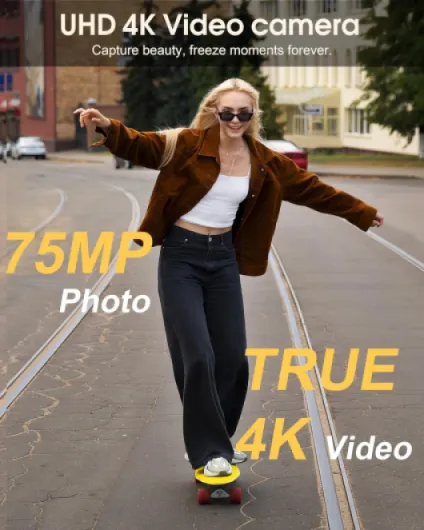
The first thing to know: this is clearly a beginner / budget creator camera, not a pro mirrorless killer. The Amazon page and box throw around big numbers like 8K and 64MP, but in practice it behaves more like a decent 4K compact with some software tricks on top. If you go in with that mindset, it’s easier to judge it fairly. It’s closer to an upgraded camcorder / compact than to a DSLR.
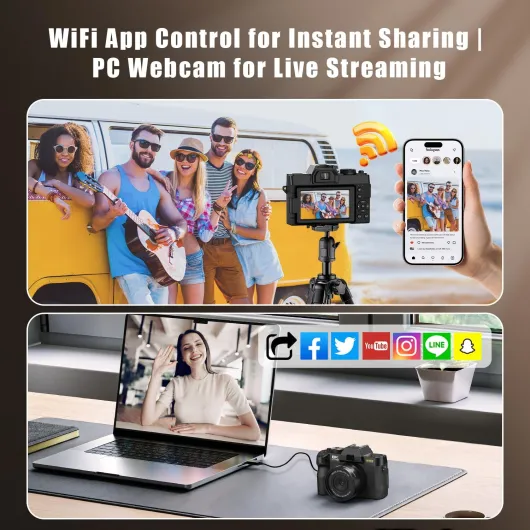
I used it for indoor vlogs, walking outside in the city, a short hike, and some quick product shots on a desk. I also tried it as a webcam for a couple of calls. I copied files via WiFi and via a card reader to see how annoying or smooth the workflow is. So this isn’t lab testing, more “normal person trying to get stuff done without a manual in front of them”.
Overall, it gets the job done for entry-level content, but it’s not magic. There are things I liked a lot (stabilization for walking, the included kit, the fact that everything is in the box) and some stuff that bugged me (low‑light noise, digital zoom quality, 8K more on paper than in real life). I’ll break it down by what matters most day to day: design, performance, stabilization, battery, connectivity, and value.
Value for money: where it makes sense and where it doesn’t
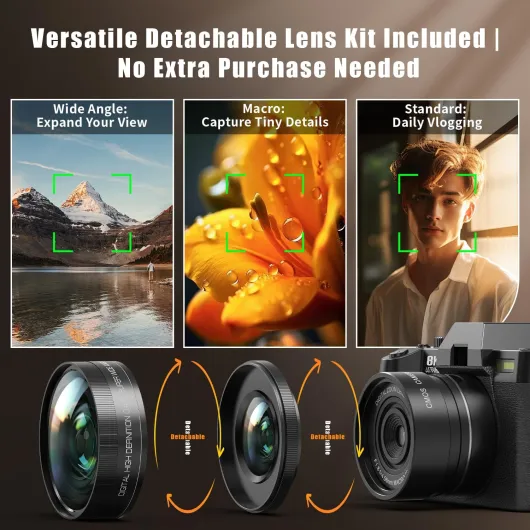
Price-wise, this sits in the entry‑level vlogging / all‑in‑one camera category. When you look at what you get in the kit — body, two lenses (wide and macro adapters), two batteries, 32GB card, and a travel case — the bundle itself is good value for someone who has zero gear. You can basically start shooting out of the box without buying anything else, and for a first camera that’s pretty convenient. Compared to buying a used big‑brand mirrorless plus lenses, it’s obviously cheaper and less intimidating.
Where the value is a bit mixed is when you compare it to modern smartphones. If you already own a decent phone with 4K video, the image quality jump is not huge. The main benefits over a phone are: a proper camera grip, a flip screen for framing yourself, easier manual control, and not filling your phone storage with big video files. If those things matter to you, then it justifies itself more. If you’re happy holding your phone at arm’s length or using a cheap tripod, you might not gain that much.
Against other budget cameras, this one stands out mainly for the full kit, the WiFi 6 transfer, and the EIS stabilization. The image quality is roughly in the same ballpark as other cheap 4K compacts I’ve tried: good in daylight, noisy in low light, autofocus good but not perfect. The marketing about 8K and 64MP sounds big, but in real use you’ll sit around 4K and normal‑sized photos, so don’t buy it for the numbers alone.
So in my opinion, the value is solid if: you’re a beginner vlogger, a student, a parent, or someone who wants a separate camera from their phone without spending mirrorless money. If you’re more advanced, plan to grow into serious photography, or are picky about low‑light performance and audio, you’re better off saving for a used Canon/Sony/Fuji body and lens. For what it is — a complete starter creator kit — I’d call the value good but not mind‑blowing.
Design and handling: feels like a real camera, behaves like a compact
From a design point of view, it’s light, compact, and pretty straightforward. The body is plastic, but it doesn’t feel toy‑like. It’s more “budget DSLR shell” than “kids camera”. The grip is shallow but usable; I could hold it one‑handed for vlogging without feeling like I’d drop it. The 3‑inch LCD is decent, bright enough indoors and just okay in bright sun. There’s no mention of weather sealing, and it’s clearly not water resistant, so this is not something I’d take out in heavy rain.
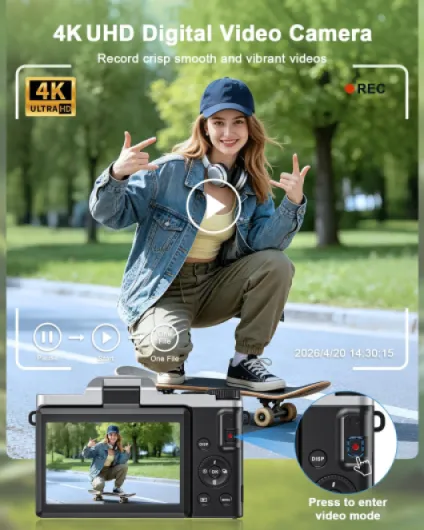
The button layout is simple: mode dial, a few direct buttons, and a basic menu system. I didn’t need the manual for the main stuff (photo/video, playback, exposure compensation). The camera has several modes like Landscape, Macro, Night Portrait, Sports, Program, but honestly I mostly left it in Program or Movie mode and let the camera decide. Switching between stills and video is quick enough, but there’s a tiny delay when starting recording; not a dealbreaker, just something you notice if you’re used to fast mirrorless bodies.
The flip screen (if you know the NP40 style from reviews, this feels similar) is the big win for vlogging. You can see yourself while recording, check framing, and make sure you’re in focus. The hinge feels fine but not heavy‑duty; I wouldn’t flip it aggressively all day, but for normal use it’s okay. The electronic viewfinder exists on paper, but in reality you’ll use the screen 99% of the time.
On the downside, there’s no hot shoe and no built‑in flash in any useful sense (it lists “no flash” / auto flash modes, but in practice you don’t have a proper pop‑up flash), and the mic situation is basic. If you care a lot about audio, you’ll probably end up using an external recorder or your phone for sound. Overall, the design is practical and simple, more for people who want something easy than for gear nerds who love lots of physical controls.
Battery life and connectivity: good enough, with a few quirks
The camera comes with two lithium‑ion batteries, which is honestly one of the best parts of the package. Each battery gave me around 45–60 minutes of mixed 4K recording (start/stop, some menu use, a bit of playback) before dropping low. If you shoot more 1080p and take more photos than video, you can stretch it longer. Having two in the box means you can swap and keep going, which is more than I can say for some cheap cameras that ship with only one tiny battery.
Charging is done via USB, and there’s only one USB port on the camera. You can charge the battery while it’s inside the camera, but you can’t really use it as a proper USB‑powered webcam for hours without the battery heating up a bit. For quick Zoom calls or streaming sessions under an hour, it’s okay, but I wouldn’t rely on it for long live streams unless you keep an eye on temps and battery. There’s no dedicated external charger brick, which would have been nice so you could charge one battery while using the other.
The WiFi 6 feature is actually pretty handy. Once the app is set up (it took me a couple of tries to get the pairing right), transferring clips to my phone was a lot faster than I expected for big 4K files. For quick edits on CapCut or similar, it’s comfortable: shoot, send a few clips, edit on the couch. It’s not instant like AirDrop, but it’s usable. If you’re old‑school, pulling the microSD card and using a reader is still the quickest for large batches.
One small annoyance: when the battery is low, the camera can shut down quite abruptly instead of giving you a generous warning. I lost a clip once because it died mid‑recording. So if you’re vlogging outside, swap batteries when you hit one bar, don’t try to squeeze every last minute out. Overall, battery life is fine for entry‑level use, and having two cells plus WiFi transfer makes it practical for day trips and casual shoots.
Build quality and durability: okay for daily use, not for abuse
In terms of durability, this is clearly a budget compact body. The plastic shell feels decent but not premium. I carried it in the supplied case inside a backpack, tossed that bag around a bit like I normally do, and the camera came out without any marks. The case is actually doing a lot of the heavy lifting here; without it, I’d be more worried about knocks and scratches, especially around the screen and lens area.
The buttons and dials have a light, slightly cheap feel but they work. Nothing got stuck, and the mode dial didn’t accidentally change in my bag, which is good. The flip screen hinge feels okay but again, not like a high‑end camera. I wouldn’t let kids slam it open and shut all day. Treat it with normal care and it should be fine. The lenses screw on and off without grinding, but the threads are small, so you want to be a bit gentle when changing between wide and macro.
There’s no water resistance at all, so I avoided using it in drizzle. I did a quick walk in light fog and kept it mostly under my jacket. Moisture didn’t cause issues, but I wouldn’t risk heavy rain or beach spray. Sand and salt water are usually deadly for this kind of design. The ports are covered by basic flaps; they keep dust out but won’t stop real water ingress.
The 2‑year manufacturer warranty is reassuring on paper, but with lesser‑known brands you never really know how smooth the process will be. Personally, I’d treat this camera as something that will last a couple of years with normal care, not as a forever device. For the price range, durability is acceptable: it feels more solid than a toy cam, less solid than any mid‑range DSLR or big‑name compact. If you’re careful, throw it in its case, and don’t abuse the flip screen, it should hold up for casual creators and students.
Image quality and performance: decent in good light, struggles in the dark
Let’s talk about what actually comes out of it. In good daylight, the camera produces pretty solid 4K and 5K footage. Colors are on the slightly punchy side but not cartoonish. For casual YouTube videos, travel clips, and social media, it’s more than good enough. The 64MP photos are clearly upscaled from a smaller sensor (1/2.3-inch), but if you keep them around 16–20MP and don’t zoom in like crazy, they look fine. I printed a couple of A4 photos and they looked okay for family stuff.
Where it falls down is low‑light and indoor scenes. In a dim living room with normal lamps, you start to see noise and mushiness, especially in shadows. It’s not unusable, but you can tell the sensor is small. Compared to my mid‑range phone, the phone actually did better in very dark rooms because of its aggressive computational photography. For video, you can help it a bit by adding a cheap LED light; then the footage cleans up a lot.
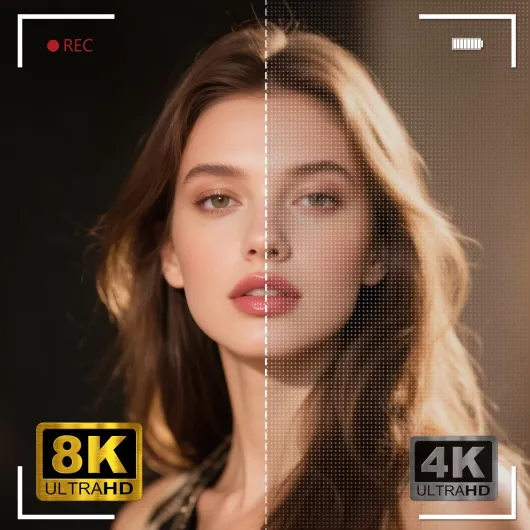
The AI 8K output is basically upscaled. If you pixel‑peep on a 4K monitor, you don’t really see a big difference between the 5K/4K and the claimed 8K, so I ended up sticking with 4K 30fps or 5K 25fps. The 1080p 60fps is useful for slightly smoother motion, and the 720p 120fps slow motion is fun but soft. For most people, I’d say ignore the 8K marketing and treat it as a solid 4K camera with some extra modes.
The hybrid autofocus with face/eye AF is better than I expected at this price, but not perfect. When I walked towards the camera while vlogging, it usually kept my face in focus, with the occasional small hunt. If you move very fast or if the background is busy, it can get confused. For sit‑down talking head videos, it’s fine. Shutter lag for stills is acceptable but not DSLR‑snappy, so for fast sports or kids running around you’ll miss some shots. Overall, performance is good enough for beginners, but if you’re picky or used to higher‑end gear, you’ll notice the limits quickly.
What you actually get in the box
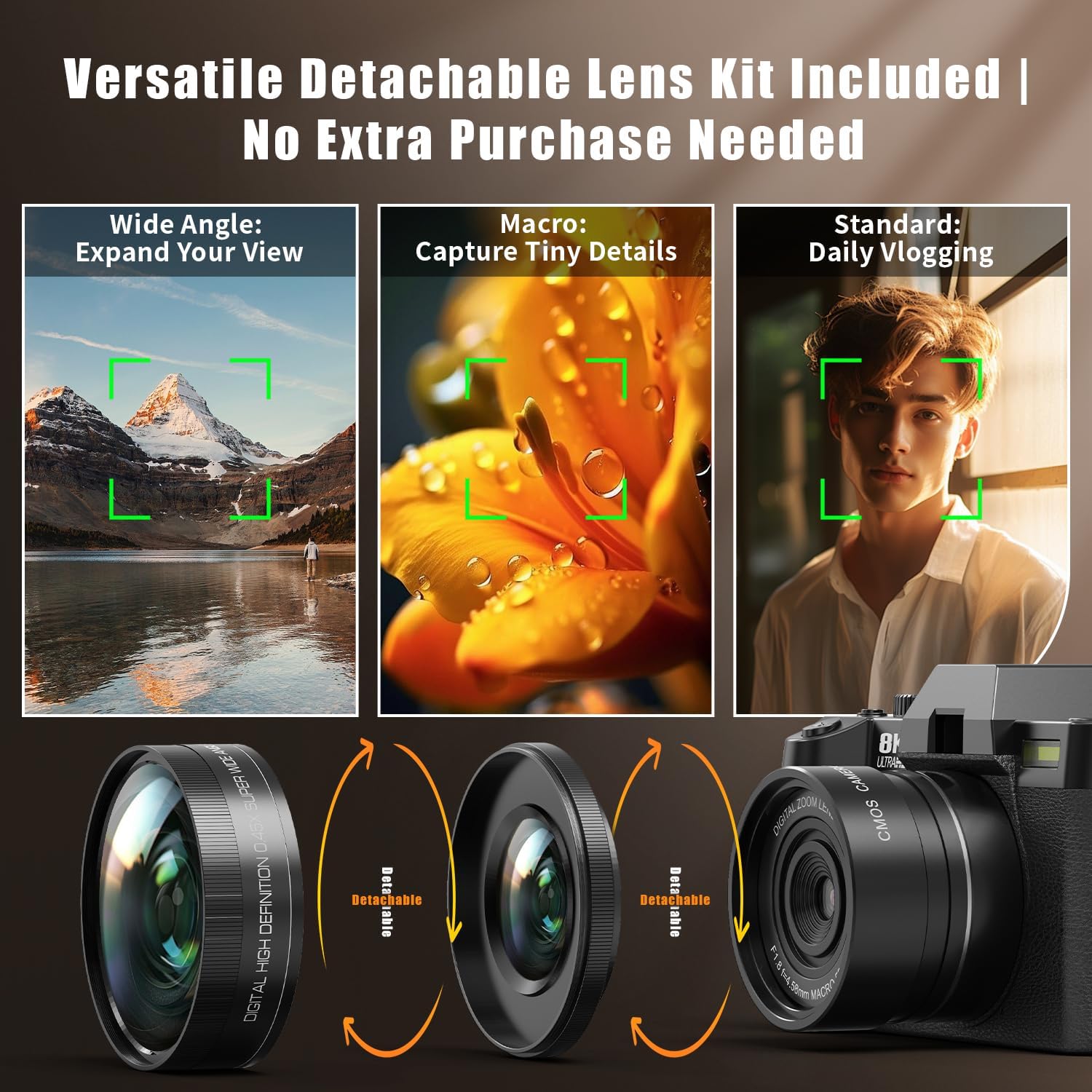
On paper, the kit is pretty loaded: camera body, wide‑angle lens, macro lens, 32GB TF card, two batteries, and a carrying case. For someone starting from scratch, that’s convenient because you don’t have to buy memory or spare batteries separately. The case is semi‑rigid with foam inserts, so you can toss it in a backpack without feeling like everything will rattle around. It’s not a Pelican case level of protection, but for daily use and travel it’s fine.
The camera itself is compact, roughly the size of a chunky point‑and‑shoot. The lenses are small screw‑on adapters (wide and macro) rather than full interchangeable lenses like a DSLR. So you’re really dealing with a fixed-lens digital camera that can be made wider or closer with these attachments. Zoom is digital only, which is important: when you zoom in a lot, you’re basically cropping the sensor and relying on software, so quality drops pretty fast beyond the first bit of zoom.
The included 32GB card is usable but fills quickly if you shoot 4K or 5K. For short clips and casual use it’s okay, but if you plan to vlog regularly, you’ll want a 64GB or 128GB card. The good point is you can start filming right away without going to a shop first. The two lithium‑ion batteries are light, and there’s no bulky charger brick; you charge via USB, which is handy but means if you forget the cable, you’re stuck.
Feature‑wise, it promises AI‑enhanced 8K output, 64MP stills, WiFi 6, EIS stabilization, face/eye AF, and multiple shooting modes. In practice, the best results I got were at 4K and 5K video and 16–24MP equivalent stills; the higher figures feel like upscaling, not native sensor power. If you’re coming from a phone, you’ll notice the controls feel more “camera‑like”, but don’t expect miracles in bad light or crazy cinematic depth of field. It’s basically a full starter kit that’s honest for the price, with specs that sound bigger than they really are.
Pros
- Complete starter kit (camera, wide/macro lenses, 2 batteries, 32GB card, case) so you can shoot right away
- Solid 4K/5K video and decent photos in good light, with effective electronic stabilization for handheld vlogging
- WiFi 6 transfer and flip screen make it practical for quick content creation and editing on a phone
Cons
- Low‑light performance and high digital zoom are noisy and soft; 8K/64MP are mostly upscaling on a small sensor
- Limited audio and no real weather resistance or hot shoe, so not ideal for more serious or outdoor‑heavy creators
Conclusion
Editor's rating
After using the G-Anica 8K-capable vlogging camera in normal day‑to‑day situations, I’d sum it up like this: it’s a decent all‑in‑one starter kit for casual creators who don’t want to rely only on their phone, but it’s not some miracle 8K beast. The strengths are pretty clear: it’s compact, easy to use, comes with almost everything you need, and delivers good‑enough 4K video and photos in decent light. The EIS stabilization and flip screen make handheld vlogging and walk‑and‑talk shots much easier than with a bare phone.
On the downside, low‑light performance, digital zoom quality, and the overhyped 8K/64MP claims are the weak points. If you shoot a lot indoors in the evening with no extra lighting, you’ll see noise and softness. The autofocus is fine for beginners but not on the level of big brands. Audio options are limited, and there’s no weather protection, so it’s not the best choice for rough outdoor use. It’s also worth asking yourself if your current phone already does 80% of what you need.
I’d recommend this to students, beginner YouTubers, parents, and travelers who want a separate, simple camera with a full kit and don’t want to dive into the whole lens ecosystem yet. If you’re more serious about photography or plan to upgrade quickly, you might be happier putting your money toward a used mirrorless from a major brand. For what it costs, though, this G-Anica gets the basic job done and gives you a low‑risk way to learn the ropes of vlogging and shooting with a dedicated camera.