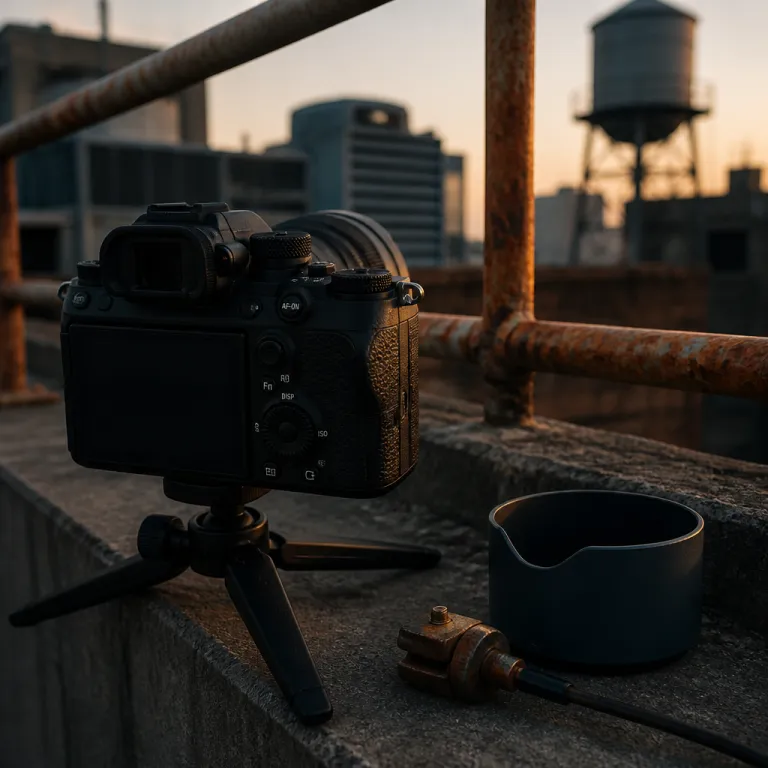
Why the default shutter focus holds your creativity back
On most cameras the shutter button controls everything at once. A half press starts autofocus and metering, then a full press fires the shot and commits the image to your card. That sounds efficient, but in real shooting it often sabotages both your composition and your sharp focus.
When you focus and recompose with the shutter button, a tiny move of the camera can shift the focus point off your subject. The camera will try to refocus each time you half press, so your carefully chosen focus point jumps to the background and the image focus drifts. You will see this most clearly in portraits at a shallow depth of field, where a single point of error turns a sharp eye into a sharp ear.
Video creators feel this even more painfully. During a talking head shot, a slight squeeze of the shutter button can trigger autofocus hunting that ruins an otherwise clean take. The camera thinks you want to change focus, so it searches across the focus area and your face goes soft just as you hit your best line.
There is also a control problem that beginners underestimate. Tying focus, metering, and shutter release to one button means every small tremor of your finger affects both framing and focusing. You want to lock focus once, refine your composition, then trigger the shutter release without the camera trying to focus back on something new.
For stills, this default design costs you keepers every single session. You line up a single-point AF area on the eye, half press, reframe, then the camera refocuses on the background the moment you breathe. For video, the same shutter button behavior makes smooth shooting almost impossible when you need consistent focus on your own face.
How back button focus separates thinking from reacting
A practical back button focus setup guide starts with one idea. You move autofocus activation away from the shutter button and assign it to a dedicated button on the back of the camera. That single change separates focusing from exposure and gives you far more deliberate control over every shot.
On most bodies this rear control is labelled AF-ON, but any programmable button on the back can become your focus trigger. When you press and hold that back button, the camera engages autofocus and drives the lens until your chosen focus point locks. When you release the button back to its rest position, focus stays frozen until you deliberately ask the camera to change it again.
The shutter button now has a simpler job. A half press meters the scene and stabilizes your framing without touching focus, then a full press fires the shutter release and records the image. You can recompose freely, knowing the focus point will not move unless you press the back button autofocus control again.
This separation is what makes back button focus so powerful for both stills and video. You can use a single point or a cluster of focus points to grab sharp focus on the eye, then ignore autofocus entirely while you refine composition. The camera becomes predictable, because autofocus only runs when your thumb tells it to run.
For vloggers and solo shooters, that predictability is gold. You can lock focus once for a talking head segment, then start and stop recording without the camera trying to focus back and forth between you and the background. If you want to change the depth of field look mid clip, you tap the back button, let your AF settings grab a new subject, then release and keep rolling.
One more benefit rarely mentioned is how this helps with manual focus practice. With back button focus enabled, you can quickly override autofocus with a twist of the ring, then tap the rear button again when you want the camera to take over. That fluid handoff between manual focus and autofocus makes you faster and more confident in changing light.
Because you are now asking more of your camera, keeping it in good condition matters. Before you rely on precise image focus and tiny focus points, it is worth following a careful sensor cleaning guide that protects your warranty. A clean sensor and a disciplined back button technique work together to give you consistently sharp focus across a wide shooting range.
Step by step: setting up back button focus on Canon, Nikon, and Sony
Every brand hides the relevant autofocus settings in slightly different menus. The good news is that the logic of a back button focus setup guide is the same across Canon, Nikon, and Sony cameras. You will always disable AF from the shutter button, then assign AF-ON to a rear control.
On Canon DSLRs like the EOS 80D or full-frame bodies like the EOS R6, start by entering the Custom Functions or Custom Controls menu. On an EOS DSLR, go to Menu > Custom Functions > C.Fn IV: Operation/Others > Shutter/AE lock button and change the shutter button half-press behavior from metering plus AF to metering only. On mirrorless EOS R bodies, open Menu > Custom Functions > Customize buttons, set the shutter half press to Metering start, then assign AF-ON to the rear AF-ON button so your thumb becomes the only way to move the focus point.
Nikon uses slightly different language but the same idea. On a DSLR, open Menu > Custom Settings > a Autofocus > a4 AF activation and choose AF-ON only so the shutter button no longer triggers focusing. On Nikon Z mirrorless cameras, go to Menu > Custom Settings > f Controls > Custom control assignment, confirm that the dedicated AF-ON button is set to AF-ON, and verify in a Autofocus > AF activation that only AF-ON starts autofocus.
Sony mirrorless bodies like the A6400 or A7 series rely heavily on custom keys. Open Menu > Custom Operation > Custom Key, select the rear button you want to use, and assign AF On or AF/MF Control Hold so that pressing it starts autofocus. Then go into Menu > Custom Operation > Shutter/AF and set AF w/ shutter to Off, which keeps focus locked until you deliberately press your chosen back button.
Once this is set, test it with a simple exercise using a single-point focus area. Aim at a subject, press the back button to achieve sharp focus, release it, then recompose and press the shutter release fully without touching focus again. You should see that the image focus stays on your original focus point even though your composition has changed.
Expect a short transition period while your muscle memory adjusts. For the first session or two you will probably stab at the shutter button and wonder why the camera is not focusing. That is normal, and a short gear reset session at home is the ideal time to retrain your fingers before an important shoot.
Real world gains for vloggers and hybrid shooters
Back button focus shines brightest when you are both in front of and behind the camera. A vlogger framing a talking head clip needs the focus point nailed on their eye, not drifting to a plant in the background. With rear button autofocus, you can lock focus once, then start recording and forget about it while you perform.
During a typical YouTube setup, you might stand two metres from the lens at f/2.8 for a shallow depth of field look. You use a single point or flexible point focus area, press the back button to achieve sharp focus on your eye, then release it and walk through your script. Because the shutter button no longer controls focusing, you can stop and start recording as many times as you like without the camera trying to focus back on the background each time.
Hybrid shooters who alternate between stills and video in the same session gain similar control. For a behind-the-scenes photo, you can use focus-and-recompose techniques, locking focus with the back button and then adjusting composition before pressing the shutter release. For the next clip, you might switch to continuous autofocus settings, hold the rear button to track a moving subject, then release it to freeze the focus plane when you want a more cinematic, locked look.
Back button focus also helps when you are working with limited lighting gear. If you are using a simple one-light and window setup, as described in many beginner lighting tutorials, your depth of field can be thin and unforgiving. Being able to lock focus once and know it will not shift while you adjust your position or tweak composition saves you from soft, unusable footage.
There are times when you will still want to lean on manual focus. For example, when shooting product B-roll, you might prefer to set focus by hand, then use the back button only to check autofocus occasionally. That mix of manual focus and button-controlled autofocus gives you both precision and speed, especially when you are working within a tight shooting time and need to move quickly between angles.
Even for simple single-shot photos, the habit pays off. You can choose a single point, tap the back button to lock focus, then wait for the perfect expression without worrying that a half press of the shutter button will ruin the image focus. Over a long day of shooting, that reliability matters more than any spec sheet bragging right.
When back button focus is not ideal and how to adapt
No single focusing method suits every shooting style. Back button focus is powerful, but there are situations where tying autofocus back to the shutter button again can be faster. Knowing when to switch gives you real control instead of blind loyalty to one technique.
Fast-paced street photography is the clearest example. When subjects move unpredictably through a wide range of distances, you may want the camera to start autofocus the instant you half press the shutter button. In that scenario, using continuous AF with the shutter release can be quicker than remembering to hold a back button while you react to fleeting moments.
Certain wildlife situations also reward a more traditional setup. If you are tracking birds in flight with a long lens, you might prefer to let the shutter button both start and stop autofocus, so you can concentrate on framing and timing the shot. Here, a large cluster of focus points and a responsive shutter button can be more important than the subtle composition control that back button focus offers.
There is also the human factor of learning curve and fatigue. During the first few sessions, your thumb may tire from holding the back button continuously in AF-C mode, especially on smaller mirrorless bodies. If you notice your grip suffering or your timing slipping, it is reasonable to switch back to shutter-based focusing for a while and then reintroduce back button control gradually.
The key is to treat back button focus as a flexible tool rather than a religion. On many cameras you can save different autofocus settings and button layouts to custom modes, so one mode uses back button autofocus for controlled shooting and another returns focus to the shutter button for fast action. Over time, you will learn which mode suits each type of composition, from single-point portraits to wide, reactive street scenes.
Remember that the goal is always reliable, sharp focus that serves your story. Whether you lock focus with a rear button, rely on focus point clusters tied to the shutter, or mix in manual focus for tricky shots, the best system is the one that keeps you shooting confidently. In the end, it is not the megapixel count, but what you will still enjoy shooting with in five years.
FAQ
Is back button focus better than half pressing the shutter button for beginners ?
For most beginners, back button focus is a clear upgrade once the initial learning curve passes. Separating autofocus from the shutter button makes it easier to lock focus, recompose, and fire multiple frames without the camera refocusing unexpectedly. Expect two or three practice sessions before it feels natural, but the long-term control is worth the effort.
Can I still use continuous autofocus with back button focus enabled ?
Yes, continuous autofocus works very well with a rear button. You simply hold the back button down to let the camera track your subject, then release it to freeze focus at a specific distance. This gives you both responsive tracking and the ability to lock focus instantly when you want a consistent plane for video or stills.
Does back button focus affect exposure or metering on my camera ?
Back button focus changes how autofocus is triggered, but it usually leaves metering behavior untouched. In most setups, a half press of the shutter button still activates metering and image stabilization, while the rear button only controls focusing. You can confirm this in your camera menu by checking that the shutter half press is set to meter only and not to start AF.
Should vloggers use manual focus instead of back button autofocus ?
Manual focus can be useful for controlled studio setups, but it is less forgiving when you move around. Back button autofocus lets vloggers lock focus for static talking head shots, then quickly re-engage AF when they change distance or show products to the lens. Many creators use a mix of both, relying on rear button AF for flexibility and switching to manual focus only when they need absolute consistency.
Can I quickly switch between back button focus and normal shutter focus during a shoot ?
On most modern cameras you can switch between these modes by changing one or two menu options. Some bodies let you save different autofocus settings and button layouts to custom modes on the dial, so you can jump from back button focus to shutter-based AF with a quick turn. This flexibility makes it easy to adapt your focusing method to different subjects and shooting conditions.
Quick-reference checklist and focus mode examples
Back button focus checklist
1. Turn off AF from the shutter half press in your camera menu.
2. Assign AF-ON to a rear button under Custom Controls or Custom Key.
3. Set metering to activate with the shutter half press only.
4. Choose a single AF point or small area for precise portraits.
5. Use continuous AF with subject tracking for moving subjects.
6. Practice focus, recompose, and shoot without touching AF again.
Suggested AF mode and area settings
Portraits: AF-S / One-Shot AF, single point or eye-detection AF, back button to lock focus on the eye, then recompose. Vlogging and talking heads: AF-C / Servo AF, face and eye tracking enabled, hold the rear button to acquire focus, then release to keep the focus plane fixed while you record. Wildlife and action: AF-C / AI Servo, wide-area or dynamic AF cluster, hold AF-ON to track birds or fast subjects and release briefly to pause focus when you want a consistent distance.
