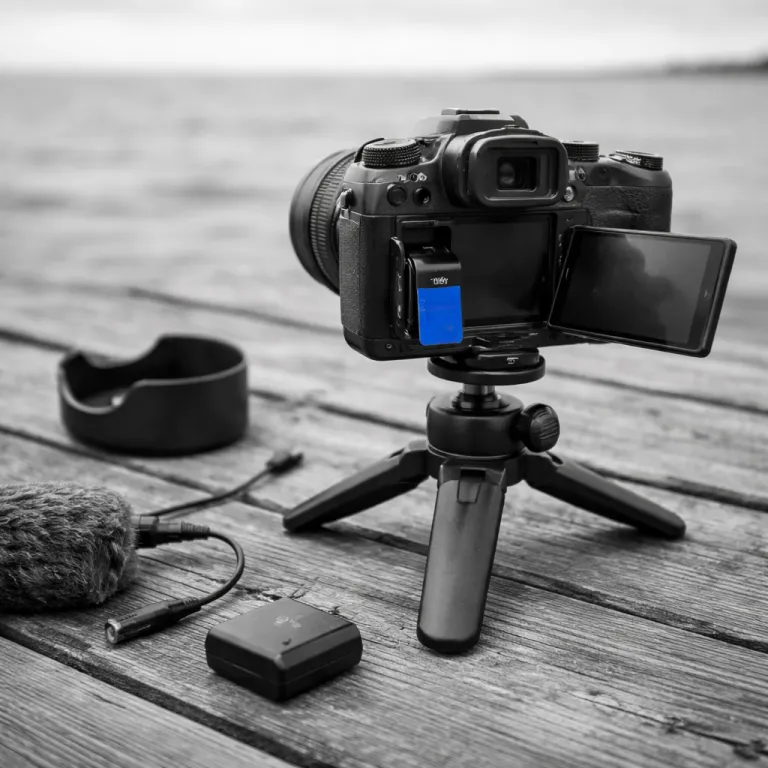
Why the best camera for vlogging is not always the most expensive
The best camera for vlogging as a beginner is the one you will actually carry every day. A technically impressive full frame body with huge lenses means nothing if it stays on a shelf while you keep shooting shaky phone video with poor audio quality. A smaller compact vlog camera that feels intuitive and easy to use will usually help you create more consistent content.
For most new content creators, the real upgrade is not only higher video quality but more reliable tools that reduce stress while filming yourself. You want cameras that keep autofocus locked on your eyes, record clean audio, and survive a full day of vlogging without the battery dying at the worst moment. When a vlogging camera handles these basics, you can focus on story, pacing, and action instead of wrestling with menus or worrying about missed shots.
Think about how and where you vlog before you even look at a product page. If you mostly shoot talking head video indoors, you need strong low light performance and great audio quality more than extreme slow motion or weather sealing. If you run around outside with a selfie stick, you need a light camera, high quality stabilization, and a flip screen that stays visible in bright sun so you can keep framing under control.
Sensor size, stabilization, and why 1 inch often beats full frame for vlogging
Many guides insist that a full frame camera is always the best camera for vlogging, but that ignores how heavy and front loaded those systems become once you add a wide lens and a microphone. For solo vloggers holding a selfie stick at arm’s length, a compact body with a 1 inch sensor often gives better balance, easier shooting, and more stable video. You trade a little low light performance for a setup that you can keep in your bag all day without thinking.
That is why cameras like the Sony ZV 1 II and the Canon PowerShot V10 sit in a sweet spot for vlogging cameras, combining good video quality, strong autofocus, and a pocketable size. Their 1 inch sensors beat phones in dynamic range and detail, yet the overall camera weight stays low enough that your wrist does not complain during a long vlog. In independent tests, compact vlogging cameras in this class typically record around 45–60 minutes of 4K footage before heat or battery life becomes a concern, which is enough for most walk and talk sessions.
Action oriented creators should also look at the DJI Osmo Pocket 3, which DPReview currently names as one of the best overall vlogging cameras thanks to its gimbal stabilized lens and surprisingly high quality video. The Osmo Pocket line shows how a tiny camera can deliver crystal clear footage that looks smooth even when you are running or climbing stairs. If you care about wireless workflows, pairing these compact cameras with a modern Wi Fi enabled digital camera or smartphone for backup can streamline your uploads from the field.
Non negotiable features for a beginner vlog camera that actually works
Every beginner searching for the best camera for vlogging should treat three features as non negotiable. You need a flip screen that faces forward, reliable continuous autofocus on your face, and at least one way to plug in or adapt an external microphone for better audio quality. Without these basics, even a high end camera will feel frustrating for solo content creators.
A fully articulating flip screen lets you frame yourself, check exposure, and monitor focus while you talk to the lens, which makes shooting video alone far more user friendly. Good eye detection autofocus from brands like Sony, Canon, and Fujifilm keeps your face sharp even when you move closer to the camera or turn slightly to show a product. A clean audio input, whether through a 3.5 millimetre jack or USB C, lets you add a small shotgun mic or wireless system so your voice stays crystal clear over background noise.
Stabilization matters almost as much, because handheld vlogging without any support quickly becomes unwatchable. In body image stabilization helps, but even cameras without IBIS can produce smooth video when paired with a compact tripod that has a quick release plate and doubles as a selfie stick. Robust mounting hardware that locks firmly in place prevents your vlog camera from twisting or slipping during action shots, which protects both your gear and your footage.
Overheating, battery life, and real world reliability for long vlogs
Spec sheets rarely tell you how a vlogging camera behaves after twenty minutes of continuous 4K video. Many compact cameras, especially in warm climates or direct sun, will overheat and shut down long before you finish a vlog, which can ruin a one take street interview or a live product unboxing. When you evaluate the best camera for vlogging, you need to look for real world tests that mention recording limits and thermal behaviour from reviewers such as DPReview or Gerald Undone.
Models like the Fujifilm X S20 and recent Sony bodies are often praised because they can record high quality 4K for extended periods with only modest heat buildup, especially when you avoid the most demanding slow motion modes. In many controlled tests, mid range mirrorless cameras manage roughly 60–90 minutes of 4K 30p indoors before hitting thermal limits, which means you can film a full vlog episode, a talking head tutorial, or a live music set without constantly checking a tiny overheating icon. For creators in the United States who shoot indoors with air conditioning, this may be less critical, but travel vloggers filming in crowded markets or on sunny beaches should treat it as a priority.
Battery life is the other silent killer of good content, because a dead battery at sunset means no golden hour B roll. Larger mirrorless cameras usually offer better battery life than very small compacts, with many current models rated for roughly 300–500 stills or about 60–90 minutes of mixed video on a single charge, but carrying two or three spares and a USB C power bank is still wise. When you test a camera easy to use in a store, pay attention to how quickly menus drain the battery and whether the body can run from external power while recording video.
Budget splits and starter kits for different types of content creators
When you chase the best camera for vlogging, it is tempting to spend every cent on the body and lens. That approach usually backfires, because your audience notices bad audio and harsh lighting long before they care about marginal gains in video quality. A smarter strategy is to split your budget between a solid vlog camera, a microphone, a small light, and enough storage to keep shooting.
On a tighter budget around five hundred dollars, a used Sony ZV 1 or a previous generation Osmo Pocket camera paired with a basic on camera mic and a compact LED panel can already transform your vlogging. With roughly one thousand dollars, you can step up to a newer Sony ZV 1 II, Canon R50, or Fujifilm X S20 body, add a better lens, and still afford a high quality shotgun mic plus a sturdy selfie stick tripod. Around fifteen hundred dollars opens the door to more advanced APS C or even some entry level full frame cameras, but you should still reserve money for fast SD cards, extra batteries, and a simple backdrop or softbox for indoor content.
Think of your kit as a system that supports the way you shoot rather than a single glamorous product. If you mostly record seated talking head video, invest more in audio quality and lighting, and less in extreme action stabilization. If you are often on the move, prioritize a lightweight camera, a user friendly grip with quick release, and a weather resistant bag that keeps your gear safe while you film daily vlogs.
Solo versus two person vlogging setups and when to upgrade
Solo vloggers face different challenges from pairs or small teams, so the best camera for vlogging depends heavily on how many people stand behind and in front of the lens. When you film yourself, you rely on continuous autofocus, face detection, and a responsive flip screen to confirm that the camera is actually recording. In a two person setup, one person can ride focus, monitor audio, and adjust exposure, which makes even more demanding cameras feel user friendly.
For solo creators, Sony’s ZV line, Canon’s vlogging focused compacts, and the Osmo Pocket 3 all shine because they automate focus and exposure while keeping controls simple. These cameras are designed so that you can hold a selfie stick in one hand, tap the screen to start recording, and trust that the autofocus will track your eyes as you walk, talk, and show a product to the lens. When you eventually want a more cinematic look, you can move to an APS C or full frame mirrorless body, but you should only upgrade once you are comfortable managing manual exposure, audio levels, and lens choices.
If you are unsure where to start with interchangeable lens cameras, a detailed mirrorless camera guide for beginners from a reputable review site can offer a grounded recommendation that balances stills and video needs. That kind of resource helps you avoid overbuying a complex body that slows down your vlogging instead of speeding it up. In the end, the best vlogging setup is not the one with the most expensive camera, but the one that lets you hit record quickly and keep telling stories without technical drama.
Key figures every new vlogger should know
- According to YouTube’s publicly shared data, more than five hundred hours of video are uploaded every minute, which means that strong audio quality and stable footage help your vlogs stand out in a crowded feed.
- Consumer camera industry reports from CIPA show that interchangeable lens camera shipments have fallen by more than fifty percent compared with a decade ago, while video focused mirrorless models now make up a growing share of remaining sales.
- Surveys of content creators by platforms such as Patreon and Ko fi indicate that many small channels begin earning some income once they reach between one thousand and ten thousand engaged subscribers, which makes early investment in a reliable vlogging camera and microphone more justifiable.
- Tests by reviewers like DPReview and Gerald Undone often show that compact vlogging cameras can record between thirty and ninety minutes of continuous 4K footage before overheating, while larger bodies with better heat management can sometimes run for more than two hours indoors.
- Market analyses from firms such as Statista suggest that the global creator economy is worth tens of billions of dollars, with a significant portion driven by video based platforms, reinforcing why choosing the right camera for vlogging has become a serious business decision for many people.
FAQ: choosing the best camera for vlogging as a beginner
Is a phone good enough, or do I really need a dedicated vlogging camera ?
Modern phones can produce impressive video in bright light, but they struggle with low light, audio quality, and long recording times. A dedicated vlogging camera usually offers better stabilization, cleaner sound with external mics, and more reliable autofocus. If you plan to publish regularly, a small compact camera or Osmo Pocket style device is a worthwhile step up.
Should I start with a full frame camera for the best image quality ?
Full frame cameras offer excellent low light performance and shallow depth of field, but they are heavier, more expensive, and require larger lenses. For most beginners, a 1 inch or APS C sensor provides more than enough video quality in a lighter, more user friendly package. You can always upgrade to full frame later once you understand your shooting style and lens needs.
How important is a flip screen for vlogging ?
A flip screen that faces forward is critical for solo vloggers, because it lets you confirm framing, focus, and exposure while you talk to the camera. Without it, you will often cut off the top of your head or drift out of focus during a vlog. Even experienced content creators prefer cameras with fully articulating screens for this reason.
What frame rate and resolution should I use for YouTube vlogs ?
For most vlogs, 4K at twenty four or twenty five frames per second gives a sharp, cinematic look with manageable file sizes. If you shoot a lot of action or want smoother motion, thirty frames per second can work well, and you can reserve sixty or one hundred and twenty frames per second for slow motion B roll. The key is consistent settings across your clips so editing stays simple.
How many batteries and memory cards do I need for a day of vlogging ?
A safe starting point is at least two spare batteries and two large capacity SD cards, such as one hundred and twenty eight gigabytes each. Heavy shooters or travel vloggers may want three or four batteries, especially with compact cameras that have smaller cells. Carrying a small USB C power bank and a fast card reader also helps you keep recording when you are away from home.