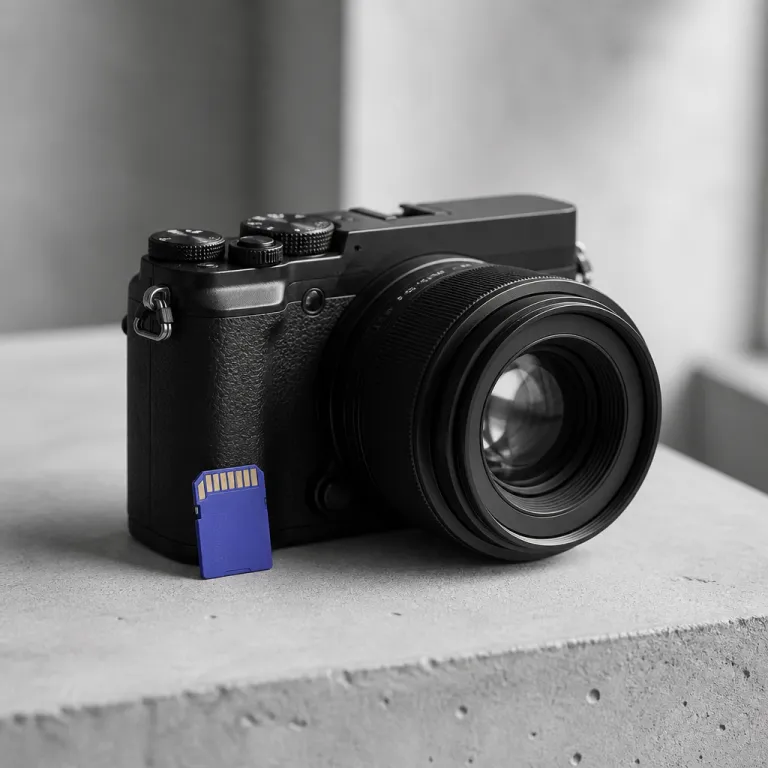
Choosing the best budget camera body for campus life
A realistic student camera budget in 2026 starts with one decision: which camera body deserves your money. For most film students and campus vloggers, an entry-level APS-C mirrorless camera from Canon, Sony, or Nikon gives the best balance of image quality, autofocus, and portability without wrecking your finances. Think of the body as the hub that will support better lenses, audio, and stills/video work as your photography course demands grow.
Right now, the most cost-effective strategy is to buy a refurbished or used mirrorless camera body that is one generation behind the current flagship. A Canon EOS M50 Mark II, a Sony ZV-E10, or a Nikon Z 30 typically sells with a kit lens for around half the price of new, yet the image quality and low-light performance remain excellent for student work. These cameras also offer solid battery life, a flip screen for vlogging, and a menu system you can actually learn between classes instead of fighting every time you shoot.
If you prefer Canon, look for a Canon EOS R50 or a refurbished Canon EOS M50 with the standard 15–45 millimetre kit lens, which covers most campus photography and travel assignments. Sony shooters should consider the ZV-E10 or the older A6100, both APS-C bodies that use Sony’s E-mount system and deliver excellent stills/video autofocus for YouTube and TikTok. Nikon students can safely choose the Nikon Z 30 as their best camera in this price range, then later add lenses from both Nikon and compatible third-party makers to expand their creative options.
Whichever brand you choose, prioritise a mirrorless camera with a microphone input, a fully articulating screen, and reliable continuous autofocus for face and eye tracking. Those three features matter more to a vlogger than a tiny bump in megapixels or a slightly cleaner lab test result. If you are tempted by ultra-cheap Fujifilm-style or off-brand cameras that promise 80 megapixels and 18× zoom, read a detailed 4K video camera test before you buy, because the real-world image quality and menu responsiveness often lag far behind the marketing.
- Canon EOS M50 Mark II / R50: Great colour, friendly menus, strong stills, solid for hybrid shooters.
- Sony ZV-E10 / A6100: Excellent autofocus, strong video tools, huge lens ecosystem for future growth.
- Nikon Z 30: Comfortable grip, clean 4K, good value for beginners focused on content creation.
Lens priorities, low light performance, and stabilisation on a student budget
Once your camera body is sorted, the next piece of the student kit puzzle is lenses. The bundled kit zoom, usually an 18–55 or 15–45 millimetre lens, handles roughly 80 percent of student photography and stills/video assignments with decent image quality. Use it for campus events, quick travel stories, and classroom projects while you learn how focal length, aperture, and composition shape the final image.
After a semester, most students feel the limits of that kit lens in low light and portraits, especially when shooting theatre rehearsals, dorm life, or late-night street photography. That is when a fast 35 millimetre or 50 millimetre prime lens becomes the best budget upgrade you can make, because it transforms both stills and video with sharper rendering, better subject separation, and cleaner files at higher ISO. On Canon EOS APS-C bodies, a compact 50 millimetre f/1.8 lens costs under 150 dollars used, while Sony and Nikon offer similar primes that mount directly without adapters and keep your setup light for handheld work.
For vlogging, look for lenses with optical image stabilisation, which works together with any in-body image stabilisation to smooth handheld walking shots. A stabilised wide-angle zoom around 10–18 or 11–20 millimetres on an APS-C mirrorless camera gives you room in the frame for your face, background, and on-screen graphics without stretching your arm uncomfortably. If your camera lacks in-body stabilisation, prioritise a stabilised lens even if the price stings slightly, because it will save you from buying a gimbal and will improve your steadiness in every clip.
Do not rush into a bag full of lenses just because other cameras on YouTube look impressive with huge zooms. Two lenses, the kit zoom and one fast prime, cover nearly every photography course requirement and most social content, while leaving room in your budget for audio, storage, and editing tools. Remember that the best mirrorless setup for a student is not the one with the most lenses, but the one you can carry all day and still afford to back up properly.
Audio, editing software, and what to skip in your first kit
For a student camera kit in 2026, audio is where many beginners quietly fail. Viewers will tolerate slightly soft image quality, but they will click away from noisy, echo-filled sound long before they notice your carefully chosen camera body. A simple on-camera shotgun microphone in the 50 to 80 dollar range will do more for your stills/video projects and vlogs than upgrading from one APS-C mirrorless body to another with marginally better specs.
On the editing side, you do not need to pay for software during your first semester, because free tools are now powerful enough for serious work. DaVinci Resolve offers professional-grade colour correction, audio mixing, and timeline editing at zero price, while RawTherapee and Darktable handle RAW photography files with excellent control over exposure, colour, and noise. Many campuses also provide Adobe Creative Cloud access in computer labs, so check whether your photography course or journalism department already covers that cost before you buy a personal subscription.
There are also detailed buying guides that explain what to buy and what to skip when choosing your first real camera, including breakdowns of sub–500 dollar camera choices that walk through body, lenses, and accessories. Use those resources to sanity-check your own list, especially when you feel tempted by ring lights, gimbals, or oversized camera bags. In practice, a window and a cheap reflector teach you more about lighting than any ring light, and learning to walk smoothly with basic image stabilisation will serve you longer than a fragile budget gimbal.
Skip anything that does not directly improve your image, your sound, or your ability to finish projects on time. That means no impulse buys of third-party Fujifilm cameras with inflated resolution claims, no stacking of redundant lenses, and no chasing the “EOS best” marketing slogan when a modest Canon EOS body already meets your needs. The most effective starter kit is the one that leaves you with enough money and mental space to actually shoot, edit, and publish every week.
As a rough example of how a sub–1,000 dollar setup can come together, imagine a used Sony ZV-E10 with kit lens for about 550 dollars, a 50 millimetre f/1.8 prime for 150, a compact shotgun mic for 60, two fast SD cards for 40, and a 500 gigabyte external SSD for around 150. Prices vary by region and condition, but this kind of mix shows how you can cover body, lenses, audio, and storage without blowing your entire student budget.
Storage, backup, travel setups, and the hidden cost of gear
The last piece of a realistic college camera budget is often ignored until a hard drive fails. Storage and backup are not glamorous, but they protect your photography, your stills/video projects, and your grades when something goes wrong. At minimum, plan for a fast 500 gigabyte external solid-state drive plus a cloud backup service that automatically mirrors your most important folders.
When you travel for assignments or study abroad, a compact APS-C mirrorless camera with one or two lenses is far easier to protect than a heavy full-frame setup. A simple padded insert inside a normal backpack keeps your camera body, lenses, and microphone safe without advertising expensive gear to everyone on the subway. This low-profile approach also helps you focus on composition and image quality instead of worrying about every bump and scratch on a flashy branded camera bag.
Hidden costs also shape what you really pay for cameras and lenses, especially when importing gear or buying from overseas retailers. Before you commit to a big purchase, read a guide on how camera equipment import tariffs by country affect final price, including breakdowns of duties, taxes, and shipping. Understanding those extra charges helps you compare the best mirrorless options fairly, whether you are choosing between Canon EOS, Sony, Nikon, or niche Fujifilm cameras for your next upgrade.
As you move through your photography course, your needs will change, but the core logic of your kit should stay simple. Invest first in a reliable camera, one or two versatile lenses, clean audio, and safe storage, then add only what solves a real problem you have met in the field. In the long run, the best camera is not the one with the longest spec sheet, but the one you still reach for five years from now when a story really matters.
FAQ
Is an APS C mirrorless camera enough for serious college projects ?
Yes, a modern APS C mirrorless camera from Canon, Sony, Nikon, or Fujifilm offers more than enough image quality for campus newspapers, short films, and social content. These cameras deliver clean files in low light, fast autofocus for stills video, and good battery life in compact bodies. Full frame only becomes essential if you specialise in very low light work or need extreme depth of field control.
Should I spend more on the camera body or on lenses ?
For a tight student camera kit budget 2026, it is smarter to balance both. Start with a solid but affordable camera body, then add one fast prime lens to complement the kit zoom. Lenses usually outlast bodies by many years, so each lens purchase should fit a clear need in your photography or video work.
Do I really need a microphone if my camera has built in audio ?
Built in microphones on cameras pick up a lot of room echo, handling noise, and background chatter. A small shotgun microphone mounted on the camera dramatically improves clarity, especially for vlogging, interviews, and classroom projects. For most student creators, that single accessory upgrades perceived video quality more than a new body.
How many memory cards and batteries should a student carry ?
Plan on at least two fast SD cards and two batteries for any mirrorless camera you use regularly. Mirrorless cameras consume more power than older DSLRs, especially when shooting 4K video or using continuous autofocus. Extra cards and batteries cost less than a missed assignment or a lost clip from a one time event.
Can I rely only on free editing software during college ?
Many students complete entire degrees using only free tools like DaVinci Resolve, RawTherapee, and Darktable. These programs handle professional level editing tasks, from colour grading to RAW development, without subscription fees. If your campus offers Adobe Creative Cloud in labs, you can always learn that ecosystem there while keeping your personal laptop free of extra costs.