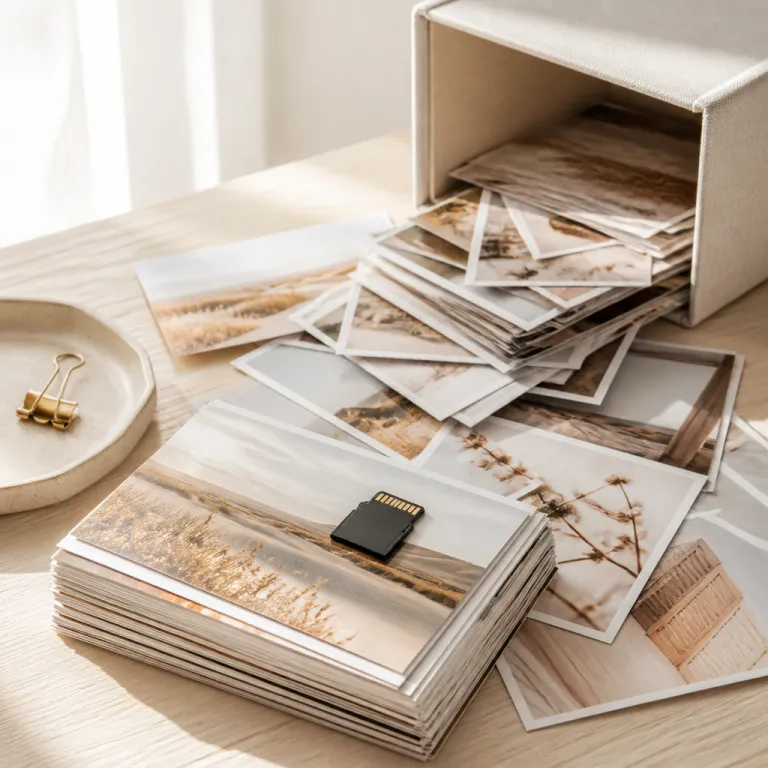
Understanding how many photos a 64 GB card can hold
A 64 GB memory card sounds generous, yet many photographers still ask how many photos a 64 GB card can store in real shooting conditions. The answer depends on the camera sensor, the image format you choose, and the photo quality settings that control file size and compression. For practical planning, you need to translate abstract storage capacity into a realistic number of photos and files you can rely on during a long day of photography.
On a typical entry level camera shooting standard JPEG photos, a 64 GB card can often hold between 6 000 and 10 000 images. When you switch the same cameras to RAW format, the number of photo files usually drops to somewhere between 1 500 and 3 000, because each RAW file size is much larger. High res sensors above 40 megapixels can cut those figures again, especially when you combine RAW photos with very high quality settings and minimal compression.
Think of the card size as a container and each image as a box that must fit inside. A small JPEG file might be only 4 to 6 MB, while a single RAW file can easily reach 30 MB or more, so the same storage must hold far fewer RAW photos. When you wonder how many pictures fit on 64 GB, you are really asking how your chosen format, file sizes, and camera settings translate into a safe number of images for your next assignment or trip.
One more detail adds confusion: card makers define 64 GB using decimal units (1 GB = 1 000 MB), while operating systems often report capacity in gibibytes (GiB), where 1 GiB = 1 024 MiB. A 64 GB card therefore appears as about 59.6 GiB on your computer, and some of that space is reserved for the file system, so the usable storage for photos is slightly lower than the number printed on the label.
How format and quality settings change your photo counts
The biggest factor behind how many images a 64 GB card can handle is your choice between JPEG, RAW, or a combined JPEG+RAW workflow. JPEG photos are compressed files, which means the camera reduces data to shrink the file size while trying to preserve visible image quality. RAW photos keep almost all the data from the sensor, so each file is larger but gives you far more flexibility in post production editing.
On many cameras, a standard JPEG file might range from 3 to 8 MB, while a RAW file from the same scene can reach 25 to 40 MB, so the same memory card capacity changes dramatically. For example, a Canon EOS Rebel T7 / 2000D (24 MP) typically produces fine JPEGs of about 6 to 7 MB and RAW files around 24 to 28 MB in mixed scenes. If your 64 GB storage is used only for JPEG photos, you may fit enough images for a full weekend of photography without worry. Switch to RAW or to combined JPEG+RAW files, and suddenly the card limit might be reached in a single long day of high res shooting.
Quality settings inside the camera menu also matter, because they directly influence file sizes and the number of photos card space can accommodate. Choosing high quality JPEG increases file size but improves fine detail, while lower quality reduces both, so more files can fit on the same card. Sports and wildlife photographers using high speed bursts often prefer slightly smaller JPEG photos, because they need many pictures per card and must avoid filling the buffer when shooting continuous files in demanding conditions.
For professionals using CFexpress cards in modern mirrorless cameras, the equation shifts again, because these cards combine high speed performance with large storage capacities. A 64 GB CFexpress card’s capacity for RAW photos is similar to SD, yet the faster write speeds help when recording long bursts of RAW images or 4K video. If you are considering a CFexpress upgrade, detailed tests and reviews show how file size, format, and speed interact in real world photography.
Sensor resolution, subject detail, and real world file sizes
Two photographers can use the same 64 GB memory card and return with very different numbers of photos, because sensor resolution and subject detail both affect file sizes. A 24 megapixel camera usually produces smaller JPEG and RAW files than a 61 megapixel body, even at the same quality setting and format. When you estimate how many photos a 64 GB card can store, you must always factor in how many megapixels your camera uses and how complex your scenes are.
High res cameras generate larger files because each image contains more pixels, and detailed textures such as foliage, cityscapes, or fabric compress less efficiently. That means JPEG files from a dense forest scene may be larger than JPEG photos of a clear blue sky, even with identical settings. Over hundreds or many pictures, these small differences accumulate and change how much photo data your memory space can safely hold before the card is full.
RAW photos are even more sensitive to resolution, because the camera records uncompressed or lightly compressed data from every pixel. A 64 GB card in a 20 megapixel body might hold RAW photos numbering in the low thousands, while the same card size in a 45 megapixel camera could hold RAW files numbering under 2 000. If you combine RAW with JPEG, each shutter press creates two files, so the total file sizes double and the number of images the card can store is cut in half.
MicroSD cards used in compact cameras, drones, or action cameras follow the same logic, although their controllers and speed classes may differ from full size SD memory cards. When you rely on a small card in a drone, for example, you must consider both still image file size and video bit rate, because both share the same storage. Long term tests and data recovery case studies highlight why understanding file sizes, formats, and card reliability matters as much as raw capacity.
Comparing memory card types, speeds, and reliability
Not every memory card is created equal, even when the label says 64 GB, because card size is only one part of the story. SD, microSD, and CFexpress cards all offer the same basic storage function, yet their high speed performance, durability, and error handling differ significantly. When you calculate how many photos a 64 GB card can keep, you should also consider how safely and quickly those files can be written and later transferred.
Standard SD memory cards are common in consumer cameras, and they balance cost, capacity, and compatibility with many devices. High speed UHS I or UHS II cards are better for burst photography, because they clear the buffer faster and reduce the risk of missed shots when capturing many pictures in quick succession. CFexpress cards, by contrast, are designed for professional cameras that shoot high res RAW photos, 8K video, and long bursts, where both file size and sustained write speed are critical.
MicroSD cards are popular in drones, action cameras, and some compact models, where physical card size must be tiny but storage still needs to be generous. A 64 GB microSD memory card’s capacity for JPEG photos is similar to a full size SD card, yet performance can vary widely between brands and speed classes. For serious photography, it is wise to choose memory cards rated for high speed continuous shooting, because this ensures that large RAW files and mixed JPEG sequences are written reliably.
Reliability matters as much as capacity, because a card failure can destroy every photo and file on the device. Professional photographers often rotate several cards instead of relying on a single large memory card, which reduces risk and makes file management easier. When you evaluate how many photos a 64 GB card can safely hold for critical work, think not only about the number of images but also about redundancy, backup habits, and the proven track record of your chosen card manufacturer.
Planning storage for different photography styles and trips
The way you shoot has as much impact on usable capacity as the technical specifications of your camera. A landscape photographer working slowly with a tripod may return from a full day with only a few hundred high res RAW photos, so a single 64 GB memory card might be enough. A wedding or sports photographer shooting high speed bursts could easily generate many pictures that fill several cards before the event ends.
For travel photography, a good rule is to estimate your average daily photo count, then multiply by the number of days and add at least 30 percent as a safety margin. If you typically shoot 500 JPEG photos per day, a 64 GB card might cover a week, but only if you avoid RAW and video. When you mix RAW photos, JPEG photos, and occasional 4K clips, the same storage may only last two or three days, especially with modern high res cameras.
Different genres also influence preferred format and file size, which changes how much photo storage you need. Portrait photographers often favor RAW format for maximum control over skin tones and subtle image quality adjustments, accepting that each file is larger. Street photographers who value discretion and speed may rely on JPEG output, allowing a 64 GB card size to hold many photos without constant card changes.
If you are building a complete kit, remember that lenses, filters, and memory cards all shape your creative options. Wide angle landscape lenses, for example, invite detailed scenes that generate larger files, so planning storage becomes part of your artistic workflow, and guides such as this landscape lens buying resource can help you balance optics, format choices, and file sizes. Whatever your style of photography, treating memory as a core accessory rather than an afterthought will keep your focus on composition instead of card warnings.
Practical examples and quick reference estimates for 64 GB
To make the question of 64 GB capacity more concrete, it helps to look at typical file sizes from real cameras. A 24 megapixel DSLR such as the Nikon D5600 shooting fine JPEG photos might produce files around 6 MB, so a 64 GB memory card can often hold between 8 000 and 9 000 images. The same camera shooting 14 bit RAW photos at roughly 27 to 30 MB per file would reduce that to around 2 000 to 2 300 images, especially once you account for formatting overhead and non photo files.
Move to a 45 megapixel mirrorless camera, and the numbers shift again, because each image contains more data and the file sizes grow. A Canon EOS R5, for instance, often records fine JPEG photos that average 11 to 13 MB, giving you roughly 4 000 to 4 500 photos on a 64 GB card, while RAW files at 45 to 55 MB could limit you to around 1 200 images. If you enable RAW plus JPEG, each shutter press creates two files, so the card capacity drops to about 600 to 700 photos before the storage is full.
Action cameras and drones using microSD cards often compress more aggressively, so JPEG photos from these devices may be smaller, yet 4K or 5K video quickly consumes space. A 64 GB microSD memory card in a GoPro HERO or DJI drone might be enough for a full day of mixed stills and short clips, but long continuous recording will fill it much faster. When planning any important shoot, always test your own camera, format, and quality settings in advance, then check how many pictures and files fit on a freshly formatted 64 GB card.
To see how these estimates are calculated, consider a simple example. Many manufacturers define 1 GB as 1 000 MB, so a 64 GB card offers about 64 000 MB of raw capacity, which the operating system reports as roughly 59.6 GiB. If your average JPEG file is 6 MB, you divide 64 000 by 6 to get roughly 10 600 images, then reduce that figure by 15 to 25 percent to allow for formatting overhead, file system data, and variations in subject detail, which brings you back to the 8 000 to 9 000 photo range in real use.
Key statistics about 64 GB cards, formats, and file sizes
- On a 24 megapixel camera, a 64 GB memory card typically stores around 2 000 RAW photos at 28 to 30 MB each, while the same card can hold roughly 8 000 fine JPEG photos at 6 to 7 MB each, based on manufacturer file size averages published in camera manuals and support pages.
- High res cameras above 40 megapixels can produce RAW files of 45 to 60 MB, which reduces a 64 GB card’s capacity to approximately 1 000 to 1 400 images, according to common file size figures listed by major camera brands such as Canon, Nikon, and Sony.
- Switching from RAW only to RAW plus JPEG usually doubles total file sizes per shot, which means a 64 GB card that held 2 000 RAW photos may hold only about 1 000 combined files, once formatting overhead and non image data are included.
- Continuous 4K video at 100 Mbps can fill a 64 GB card in about 85 minutes, because the stream writes roughly 12.5 MB per second (100 megabits ÷ 8), leaving less room for still photo files on the same storage device.
- Independent card reliability studies and large scale backup provider reports have found annual failure rates for quality branded SD and microSD memory cards typically below 1 percent, yet a single failure can destroy every photo on the card, which is why many professionals prefer several smaller cards over one large card.
FAQ about how many photos a 64 GB card can hold
How many JPEG photos can a 64 GB card usually store
On a typical 20 to 24 megapixel camera, a 64 GB memory card can usually store between 6 000 and 10 000 JPEG photos, depending on the chosen quality setting and subject detail. Fine quality JPEG images with lots of texture create larger file sizes, so fewer images fit on the card. Lower quality or more compressed JPEG settings reduce file size, allowing many photos to fit into the same storage capacity.
How many RAW photos fit on a 64 GB memory card
For most mid range cameras, a 64 GB card holds roughly 1 500 to 3 000 RAW photos, with the exact number depending on sensor resolution and compression type. Higher megapixel bodies generate larger RAW files, which means fewer images can be stored. If you enable RAW plus JPEG, expect the total number of pictures to drop by about half compared with RAW only shooting.
Does shooting video reduce how many photos a 64 GB card can hold
Yes, recording video uses the same storage as still photos, so every minute of footage reduces how many images a 64 GB card can keep for photography. High res 4K or 5K video at high bit rates consumes space quickly, sometimes filling a 64 GB card in under two hours. If you plan to mix video with photography, allocate separate memory cards or larger capacities to avoid running out of space mid shoot.
Are CFexpress cards better than SD for a 64 GB capacity
CFexpress cards are not automatically better for every photographer, but they are superior when you need very high speed performance for large RAW files and long bursts. A 64 GB CFexpress card’s capacity for photos is similar to SD at the same file size, yet the faster write speeds keep buffers clear and reduce waiting times. For casual photography, quality SD or microSD memory cards are usually sufficient, while demanding sports or wildlife work benefits from CFexpress cards.
Should I use one 64 GB card or several smaller cards
Using several smaller memory cards spreads risk, because a single card failure or loss will not wipe out every photo and file from your trip or assignment. Many professionals prefer multiple 32 or 64 GB cards instead of one very large card size, even though managing more cards requires discipline. If you rely on a single 64 GB card, back up your photos frequently to a laptop or external drive to protect your images and maintain safe storage margins.