
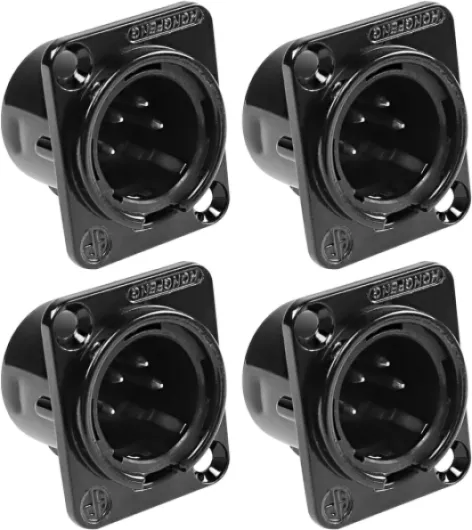
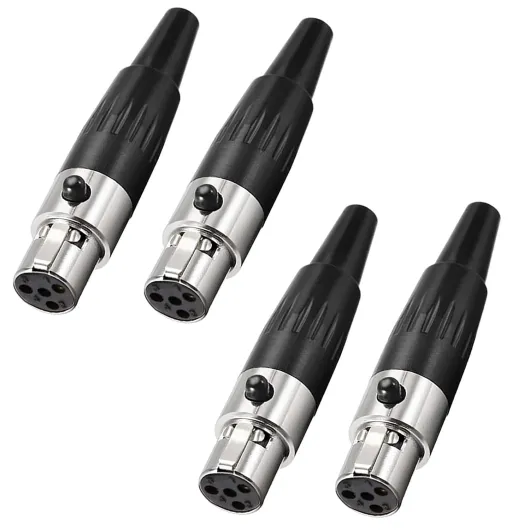
What is a 4 pin XLR connector and why does it matter for digital cameras
How 4 Pin XLR Connectors Shape Audio Quality in Digital Cameras
When exploring digital cameras for professional video or audio recording, you might notice references to 4 pin XLR connectors. These connectors play a crucial role in ensuring high-quality, reliable audio capture. The XLR connector, especially the 4 pin variant, is widely used in the broadcast and film industry for its balanced audio transmission, which helps minimize noise and interference. This is especially important when recording with sensitive microphones or in environments with lots of electronic equipment.
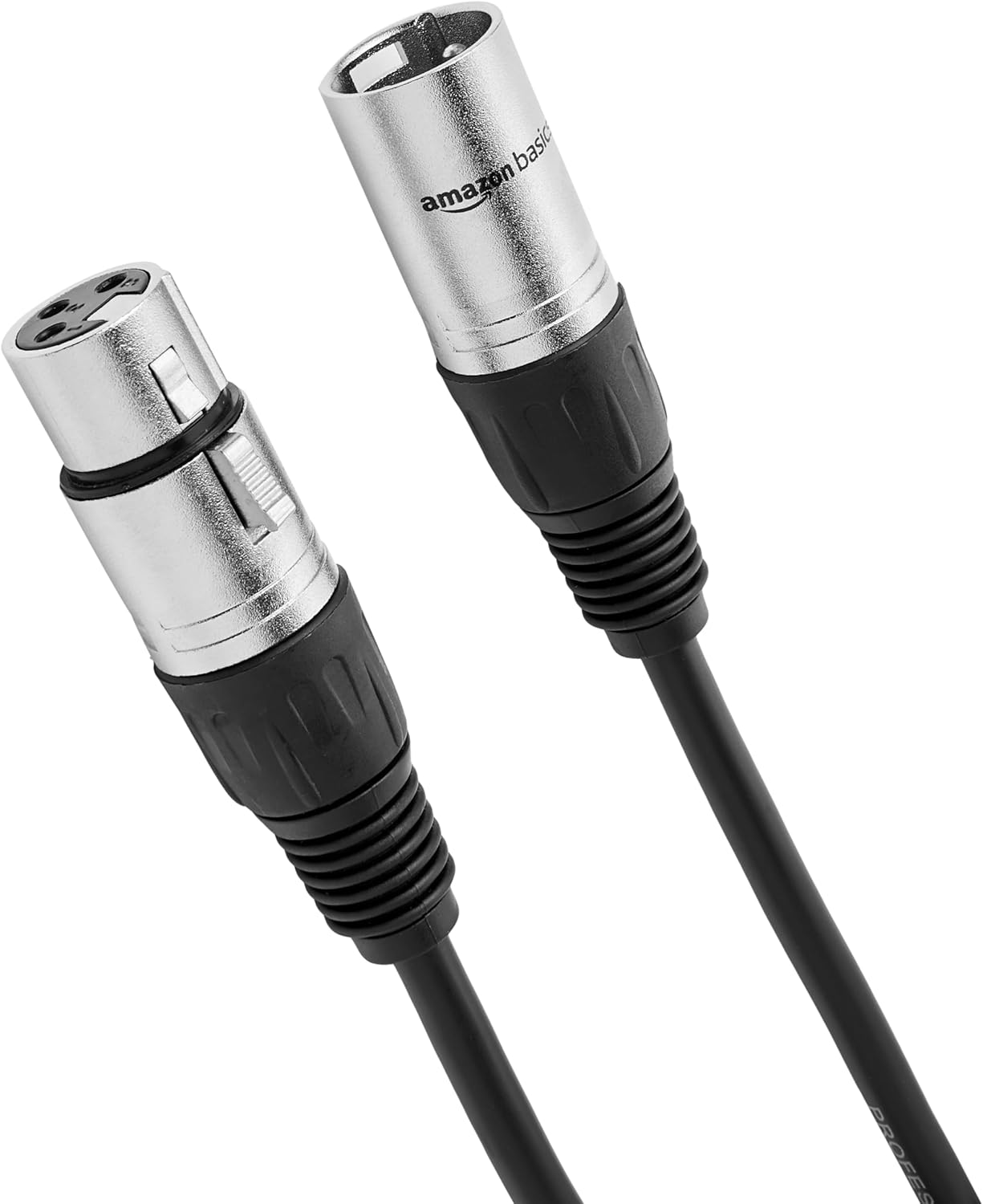
The 4 pin XLR connector stands out because it supports both audio signal and power supply through a single cable. This means you can connect a microphone or other audio device and supply phantom power without needing extra adapters or cables. The balanced design, with separate pins for left and right audio channels, ground, and power, reduces the risk of unwanted hum or buzz that can ruin a recording.
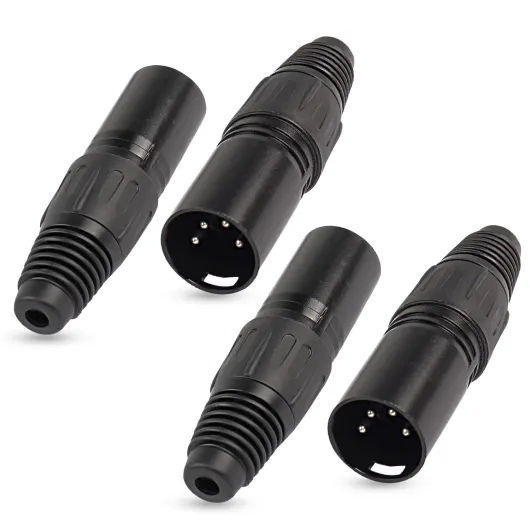
- Pin configuration: Typically, the 4 pin XLR includes two pins for balanced audio (left and right), one for ground, and one for power. This setup is ideal for professional microphones and headphone monitoring.
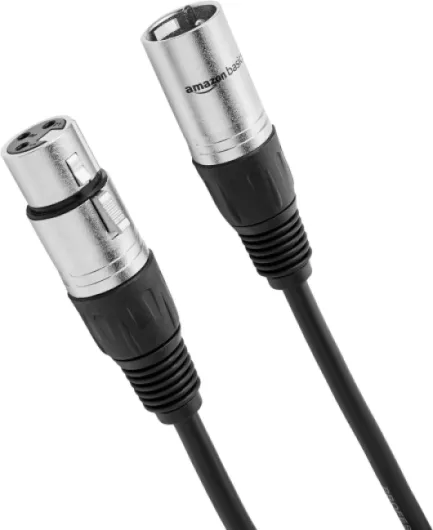
- Male and female connectors: The male XLR plug usually connects to the camera, while the female XLR receives the cable from the microphone or power supply. This standardization helps avoid confusion and ensures compatibility across products.
- Durability: XLR connectors are known for their robust construction, making them suitable for field use where cables and plugs are frequently connected and disconnected.
For those interested in macro photography and specialized audio setups, understanding the role of connectors like the 4 pin XLR is as important as knowing your camera’s lens or flash options. If you want to dive deeper into how accessories can enhance your digital camera’s performance, check out this guide to macro photography accessories.
As you continue learning about digital camera audio solutions, you’ll see how the right connector, cable, and adapter choices can make a big difference in your workflow and final product quality. The next sections will cover the specific benefits of using 4 pin XLR connectors, common challenges, and practical tips for setup and maintenance.

Benefits of using 4 pin XLR connectors for audio in digital cameras
Why Balanced Audio Matters in Field Recording
One of the main advantages of using a 4 pin XLR connector with digital cameras is the ability to achieve balanced audio. Balanced connections, made possible by the unique design of the xlr pin layout, help reduce unwanted noise and interference. This is especially important when you’re working in environments with lots of electronic equipment or long cable runs. With a balanced female or male xlr plug, the signal remains clean, which is crucial for professional video and audio production.
Reliable Power and Versatility
Another benefit is the ability to carry both audio and power through the same connector. Many digital cameras and audio products use the 4 pin xlr for both microphone signal and power supply, such as phantom power for condenser mics. This reduces the need for extra power cables and adapters, making your setup simpler and more reliable. The dual pin configuration of the xlr connector also ensures a secure connection, minimizing the risk of accidental unplugging during shoots.
Compatibility with Professional Audio Gear
4 pin xlr connectors are widely used in professional audio equipment. This means you can easily integrate high-quality microphones, headphone amps, and other audio devices with your camera. Whether you’re using a male balanced cable or a female xlr adapter, the standardization of the xlr pin layout ensures compatibility across brands and products. This flexibility is a big plus for content creators who need to adapt quickly to different shooting scenarios.
Durability for On-the-Go Shoots
Field work can be tough on gear. The robust design of the xlr connector, whether male or female, is built to withstand frequent plugging and unplugging, as well as the rigors of travel. The solid construction of the pin male and pin female parts helps prevent damage, ensuring your audio connections remain stable even in challenging conditions. This durability is a key reason why many professionals choose xlr balanced cables and connectors for their digital camera setups.
Streamlined Workflow and Fewer Adapters
Using a 4 pin xlr setup can streamline your workflow. With fewer adapters and cables to manage, you can focus more on capturing great audio and less on troubleshooting. The clear labeling of left and right channels on xlr balanced connectors also helps avoid confusion during setup. For those looking to further enhance their photography and video rigs, consider exploring versatile light stand crossbar solutions to complement your audio gear.
- Reduces noise and interference with balanced connections
- Provides reliable power supply for microphones
- Ensures compatibility with a wide range of professional audio products
- Offers durable connectors for demanding environments
- Simplifies setup with fewer adapters and cables
Common challenges when integrating 4 pin XLR with digital cameras
Real-World Hurdles When Using 4 Pin XLR Connectors
Integrating a 4 pin XLR connector into your digital camera setup can bring professional-grade audio, but it’s not always a plug-and-play experience. Here are some of the most common challenges users face with these connectors in the field:
- Compatibility Issues: Not every digital camera is designed to accept a 4 pin XLR balanced input. Some models require a specific adapter cable or even a dedicated audio interface to connect a microphone or headphone. Double-check your camera’s manual and product specs before ordering any XLR pin accessories.
- Power Supply Confusion: The 4 pin XLR connector can carry both audio and power, but not all microphones or cameras use the same pin order for power delivery. Mixing up pin male and pin female connections can result in no audio, or worse, damage to your equipment. Always verify the wiring diagram for your xlr male or xlr female plug before connecting.
- Physical Strain and Cable Management: XLR cables are robust, but their size and weight can put strain on the camera’s connector mic port, especially when using a shoulder rig or handheld setup. This can lead to intermittent audio dropouts or even a broken xlr connector. Using a balanced female to male xlr adapter with strain relief helps, but careful cable routing is essential.
- Environmental Interference: While XLR balanced connections are designed to reject noise, improper grounding or damaged cables can still introduce hum or static. Always inspect your power cable and xlr balanced lines for wear before a shoot.
- Connector Wear and Tear: Frequent plugging and unplugging of xlr male and female xlr connectors can loosen the contacts over time. This may cause unreliable connections, especially with dual pin or 4 pin xlr setups. Regular maintenance and gentle handling extend the lifespan of your microphone connector and plug audio ports.
For those working in dynamic environments, such as documentary or event filming, these challenges can be amplified. Using a shoulder rig for digital camera can help manage cable strain and improve workflow, but it’s important to match your xlr pin and adapter cable choices to your specific camera and microphone needs.
| Challenge | Potential Solution |
|---|---|
| Compatibility | Check camera specs, use correct adapter |
| Power supply mismatch | Verify pin order, consult manufacturer |
| Cable strain | Use cable management, shoulder rig |
| Noise/interference | Inspect cables, ensure proper grounding |
| Connector wear | Regular maintenance, gentle handling |
Understanding these real-world issues helps you get the most from your 4 pin XLR setup, ensuring reliable audio capture and a smoother shooting experience.
Comparing 4 pin XLR to other audio connectors in digital cameras
How 4 Pin XLR Stands Apart from Other Audio Connectors
When working with digital cameras, choosing the right audio connector is crucial for capturing high-quality sound. The 4 pin XLR connector is often compared to other options like 3 pin XLR, 1/4 inch TRS, 3.5mm headphone jacks, and proprietary plugs. Each connector type has its own strengths and limitations, especially in terms of balanced audio, power supply, and compatibility with microphones or headphones.
- Balanced vs. Unbalanced: The 4 pin XLR is designed for balanced audio, which helps reduce noise and interference over long cable runs. In contrast, 3.5mm headphone or mic connectors are typically unbalanced, making them more susceptible to signal degradation, especially in professional environments.
- Power and Data Transmission: Unlike standard 3 pin XLR connectors, the 4 pin XLR can carry both audio and power, making it suitable for devices that require a power supply through the same cable. This is particularly useful for certain microphone products or camera accessories that need phantom power or remote powering.
- Connector Gender and Compatibility: XLR connectors come in male and female versions. The 4 pin XLR male and female plugs are robust, providing secure connections for both audio and power. Adapters are available to convert between pin male and pin female, or to interface with other connector types, but using the correct xlr pin order is essential to avoid damage or audio issues.
- Durability and Field Use: Compared to 1/4 inch or 3.5mm plugs, XLR connectors (including 4 pin) are more durable and less prone to accidental disconnection. This makes them a preferred choice for field recording and professional video production where reliability is critical.
- Price and Product Availability: While 4 pin XLR cables and adapters may have a higher price than standard headphone or mic cables, they offer superior performance for demanding audio applications. Products with dual pin or balanced female connectors are widely available and can be ordered from specialized audio suppliers. Always check if the product ships with the required adapter cable or power cable for your camera setup.
In summary, the 4 pin XLR connector offers a unique combination of balanced audio, power delivery, and robust construction. While other connectors like 3.5mm or 1/4 inch plugs may be suitable for consumer-level use, professionals often choose 4 pin XLR for its reliability and versatility in digital camera audio setups.
Tips for choosing the right 4 pin XLR setup for your digital camera
Key Factors When Selecting Your XLR Setup
Choosing the right 4 pin XLR connector setup for your digital camera is crucial for capturing clear, balanced audio. Here are some practical points to consider when making your decision:
- Compatibility: Ensure your camera supports 4 pin XLR connectors. Some models require an adapter cable or a dedicated audio interface to connect XLR balanced microphones or power supply units.
- Connector Type: Identify whether you need a male or female XLR connector. Typically, microphones use an XLR male plug, while cameras or audio recorders have a female XLR input. Double-check the pin configuration to avoid mismatches.
- Balanced Audio: Opt for balanced XLR cables and connectors. Balanced female and male pin setups help reduce noise and interference, especially in environments with lots of electronic equipment.
- Power Requirements: Some microphones require phantom power supplied through the XLR cable. Verify if your camera or audio interface can deliver the necessary power, or if you need an external power supply.
- Build Quality: Look for robust connectors and cables. A sturdy XLR connector, whether male or female, ensures reliable data and audio transmission, especially when shooting in the field.
- Length and Flexibility: Choose a cable length that fits your shooting style. Too short can limit movement, while too long may introduce signal loss or tangling issues.
- Price and Product Availability: Compare prices and check if the product ships to your location. Some specialized dual pin or adapter cable options may have longer order times or higher costs.
Making the Most of Your Audio Setup
When assembling your XLR setup, consider the entire audio chain. For example, pairing a high-quality microphone connector with a reliable plug audio cable and a compatible headphone output can make monitoring easier. If you’re using multiple microphones, ensure your camera or mixer supports dual pin or multiple XLR inputs. Always test your setup before important shoots to catch any issues with the xlr pin connections or power cable integrity.
| Component | Recommended Type | Why It Matters |
|---|---|---|
| XLR Connector | 4 pin, balanced, male/female as needed | Ensures secure, noise-free connection |
| Microphone | XLR balanced, pin male | Delivers professional audio quality |
| Cable | Balanced, shielded, correct length | Reduces interference, supports flexibility |
| Adapter | XLR female to male, or dual pin | Adapts to various camera or recorder inputs |
| Power Supply | Phantom power capable | Supports condenser microphones |
By carefully selecting each part of your XLR setup, you can achieve reliable, high-quality audio for your digital camera projects. Always prioritize compatibility and durability to avoid issues during critical shoots.
Maintaining and troubleshooting 4 pin XLR connections in the field
Keeping Your XLR Connections Reliable on Set
Maintaining a 4 pin XLR connector setup in the field is essential for capturing clean, balanced audio with your digital camera. Even the best microphone, cable, or adapter can suffer from wear, dust, or improper handling. Here’s how to keep your XLR, pin, and plug audio connections dependable during shoots:- Inspect cables and connectors regularly. Look for bent male pins, loose female XLR sockets, or frayed power cable jackets. A damaged pin male or female XLR can cause intermittent audio or total signal loss.
- Clean contacts gently. Use a soft brush or compressed air to remove dust from the XLR connector, especially around the male balanced and female balanced contacts. Avoid abrasive cleaners that could damage the microphone connector or adapter cable.
- Check for secure connections. Ensure every plug audio, dual pin, and power supply connection is fully seated. A loose XLR male or female can introduce unwanted noise or hum, especially in balanced audio setups.
- Label your cables. Mark left and right channels, or specific mic and headphone lines, to avoid confusion during quick setups. This is especially helpful when working with multiple xlr pin and connector mic products.
- Protect from strain. Use cable ties or velcro to relieve stress on the XLR pin and adapter cable ends. Excessive pulling can damage the internal wiring or the male xlr and female xlr connectors.
Troubleshooting Common XLR Audio Issues
If you encounter audio problems, a systematic approach helps identify the cause:- No audio signal? Test the microphone, cable, and camera input separately. Swap out the power cable or adapter if possible. Sometimes a faulty pin xlr or connector mic is to blame.
- Hum or buzz in the audio? Check for proper grounding and ensure you’re using balanced female and male balanced connections. Avoid running audio cables parallel to power supply lines to reduce interference.
- Intermittent sound? Inspect for loose xlr connector plugs or bent male pin contacts. Gently straighten pins if needed, but replace the connector if damage is severe.
- Compatibility issues? Confirm that your product and camera support the same pinout order. Some cameras require a specific xlr balanced configuration or a dedicated adapter cable.
Field Tips for Long-Term Performance
- Store cables coiled, not kinked, to extend their lifespan and maintain reliable data and power transmission.
- Keep spare XLR male, female, and dual pin adapters in your kit. Having backup parts can save a shoot if a connector fails.
- Be mindful of the price and quality when purchasing replacement cables or adapters. Investing in reputable brands often results in better durability and fewer issues with ships or product returns.