
Understanding the role of a shoulder rig in digital camera setups
What Makes a Shoulder Rig Essential for Digital Camera Setups?
When you’re working with a digital camera, stability and comfort are key. A shoulder rig is a camera support system designed to help you achieve smoother shots and reduce fatigue during long shoots. Whether you’re using a Sony system camera or another brand, the right rig can make a big difference in your workflow and the quality of your footage.
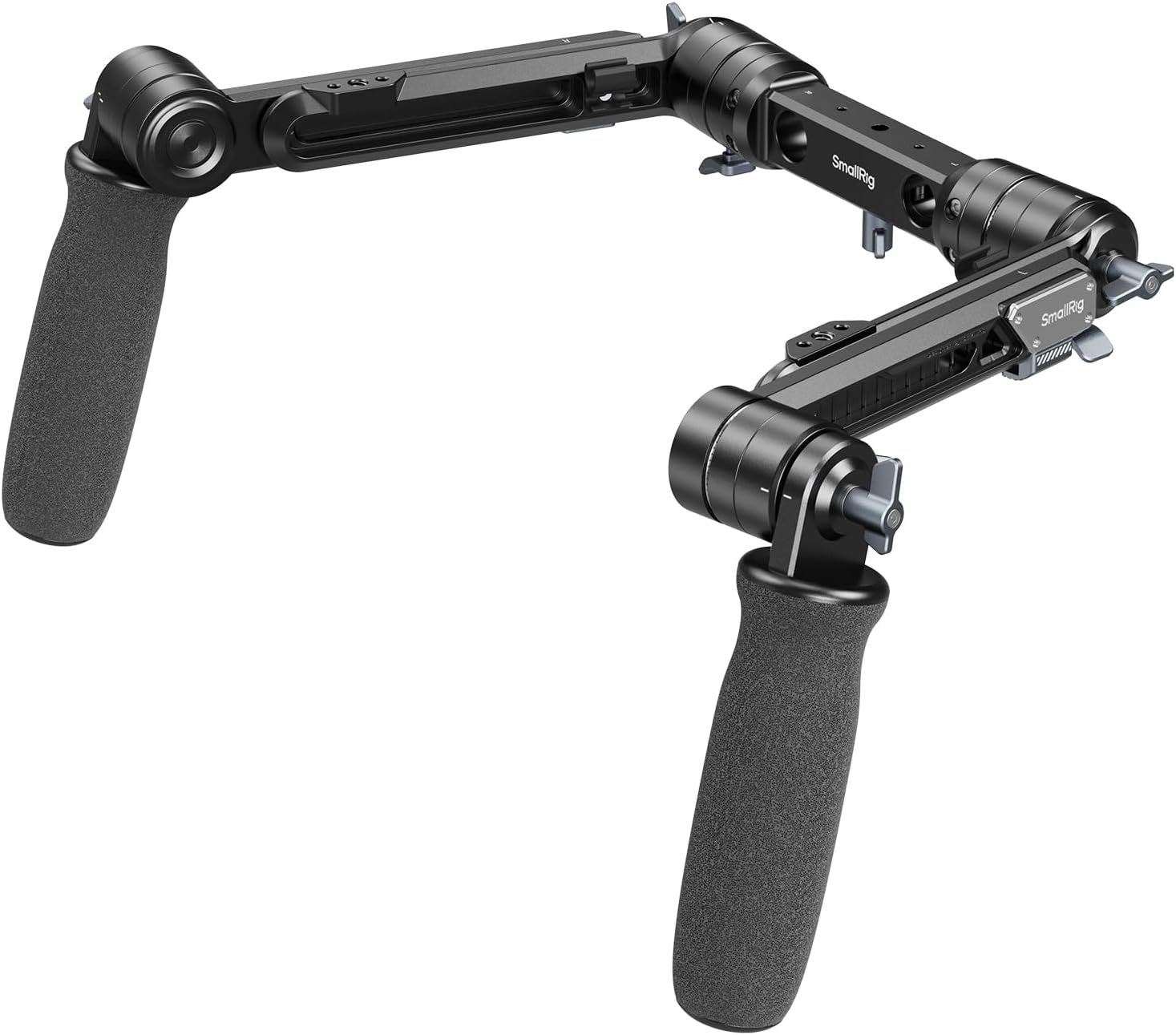
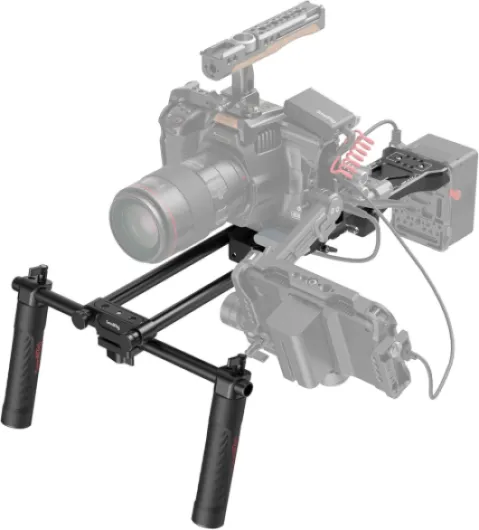
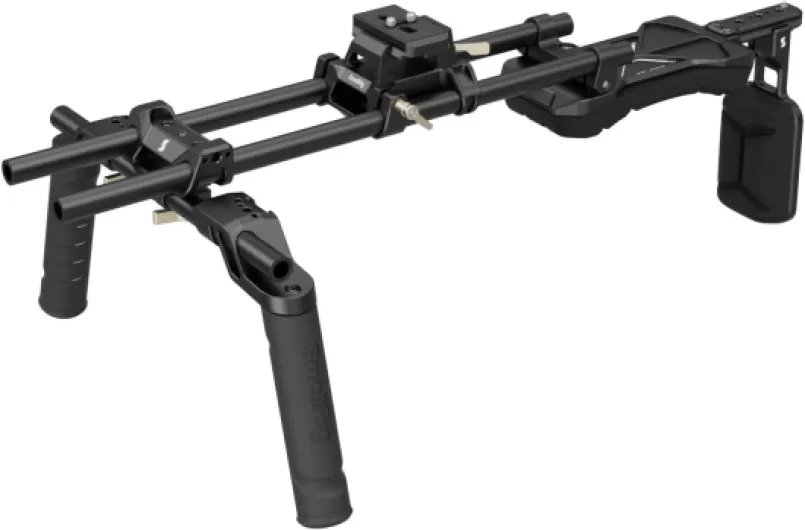
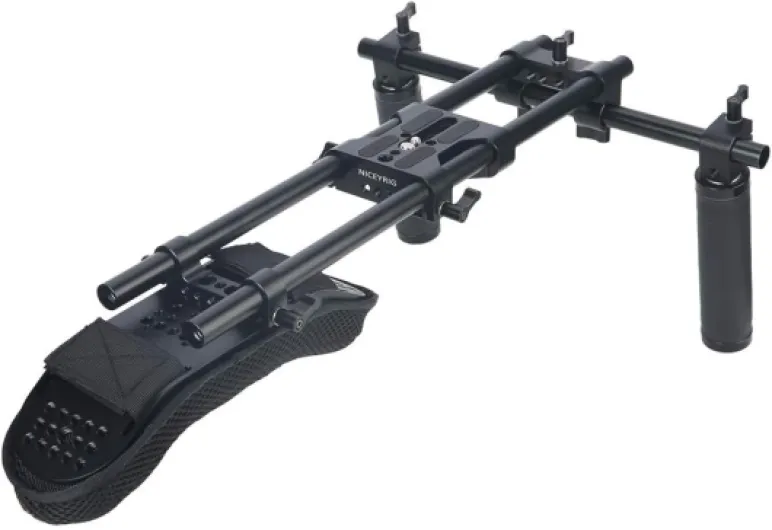
Shoulder rigs typically include components like rods, a shoulder pad, a top handle, and a base plate. These elements work together to distribute the weight of your camera and accessories, such as a matte box or follow focus, across your shoulder. This setup is more ergonomic than handheld shooting and gives you greater control over your camera movements.
- Stability: The rig’s rods and shoulder mount help minimize unwanted shakes, especially when moving.
- Customization: Many rigs are universal, allowing you to add or remove accessories like a quick release plate, top plate, or hand grip to suit your needs.
- Expandability: You can attach matte boxes, follow focus systems, and other accessories to enhance your shooting options.
Price is another important factor. The current price of a shoulder rig kit can vary widely depending on the build quality, included accessories, and whether you’re looking at the original price or a discounted offer. Some kits come with a VCT dovetail plate for quick mounting, while others focus on lightweight support for run-and-gun setups. Comparing the price original and price current can help you find the best value for your needs.
For those new to shoulder rigs, understanding the different components—like rods, top handles, and universal shoulder mounts—can be overwhelming. If you want to dive deeper into how to choose the right rod clamp for your digital camera setup, check out this guide on rod clamps for practical advice.
As you explore your options, keep in mind that a good shoulder rig is more than just a holster for your camera. It’s a complete support system that can transform your shooting experience, making it easier to capture professional-quality video with less strain.

Key benefits of using a shoulder rig
Enhanced Stability and Comfort
One of the main reasons filmmakers and content creators turn to a shoulder rig is for improved stability. By distributing the weight of your camera across your shoulder, a rig reduces hand fatigue and allows for smoother, steadier shots. The shoulder pad and hand grip work together to provide ergonomic support, making it easier to shoot for extended periods. This is especially valuable when using heavier system camera setups or when adding accessories like a matte box, follow focus, or top handle.
Greater Flexibility for Creative Shots
Shoulder rigs open up new creative options. With a universal shoulder mount, you can quickly adjust your camera's position, angle, and height. The inclusion of rods and a dovetail plate means you can attach a variety of accessories, from a matte box to a quick release plate. This flexibility is essential for capturing dynamic scenes or switching between handheld and tripod shots. For more on how to expand your shooting style, check out this guide on transforming your digital camera setup with a tripod dolly.
Professional-Level Accessory Integration
Modern shoulder rigs are designed to support a wide range of camera accessories. Whether you’re mounting a Sony camera or another brand, universal kits allow for easy integration of top plates, VCT plates, and rod-based systems. This means you can add a matte box, follow focus, or even a shoulder holster without worrying about compatibility. The ability to customize your rig kit ensures your setup grows with your needs.
Cost-Effective Solutions
While the original price of high-end shoulder rigs can be significant, there are many options at different price points. Some kits offer a universal design, so you don’t have to buy a new rig for each camera. Comparing the current price and features helps you find the best value, whether you’re looking for a basic support system or a fully loaded kit with a top handle and quick release system. Always consider the price original and price current to make an informed choice.
Essential features to look for in a shoulder rig
What Makes a Great Shoulder Rig?
Choosing the right shoulder rig for your camera setup is not just about grabbing the first kit you see. The market is full of options, and understanding the essential features can help you get the best value for your current price range. Here’s what to look for when comparing shoulder rigs and accessories:
- Universal Compatibility: A universal shoulder rig is designed to work with a wide range of cameras, from Sony system cameras to DSLRs and mirrorless models. This flexibility means you can switch bodies without needing a new rig.
- Strong Support and Comfort: Look for a rig with a well-padded shoulder pad. This is crucial for long shoots, as it distributes weight and reduces fatigue. The shoulder mount should feel stable and secure, especially when paired with heavier camera setups.
- Modular Rod System: Quality rigs use 15mm or 19mm rods, letting you add or adjust accessories like matte boxes, follow focus units, or a top handle. Rods should be sturdy and allow for easy customization as your needs grow.
- Quick Release Plate: A quick release plate or dovetail system saves time when mounting or removing your camera. This is especially helpful if you’re working with multiple setups or need to move fast between shots.
- Accessory Mounting Options: The best rigs offer multiple mounting points for accessories. A top plate or side plate can hold monitors, microphones, or even a matte box. Having these options means you can build a rig kit that matches your workflow.
- Durability and Build Quality: The original price of a rig often reflects its build quality. Aluminum or carbon fiber rigs last longer and provide better camera support than cheaper plastic models. Always compare the current price with the features and materials offered.
- Ergonomic Handles and Hand Grips: Comfortable hand grips and a well-placed top handle make a big difference in how steady your shots are. Some rigs include a shoulder holster or additional support for extra stability.
Don’t forget to check if the rig comes as a complete kit or if you’ll need to buy extra rods, plates, or accessories. Some brands offer a universal shoulder rig with a matte box and follow focus included, while others sell these as add-ons. Consider your shooting style and whether you’ll need a VCT plate for quick tripod mounting or a holster for handheld work.
For those interested in optimizing their camera setup further, understanding how to choose the best lens for product photography can also make a significant difference in your results.
Setting up your digital camera on a shoulder rig
Step-by-step guide to mounting your camera
Setting up your digital camera on a shoulder rig can feel overwhelming at first, but with the right approach, you’ll quickly see how it improves your shooting experience. Here’s a practical guide to help you get started:- Prepare your rig kit – Lay out all the components: rods, shoulder pad, top handle, quick release plate, and any accessories like a matte box or follow focus. Check that your rig is compatible with your camera model, whether it’s a Sony or another system camera.
- Attach the base plate – Secure the universal plate or dovetail plate to the bottom of your camera. This plate connects your camera to the rods and the rest of the rig system. Make sure it’s tightly fastened to avoid any wobble.
- Install the rods – Slide the rods through the base plate or rod support. These rods are essential for mounting accessories like matte boxes, follow focus, or a universal shoulder pad. Adjust the length to suit your setup and shooting style.
- Mount the camera – Use the quick release system or top plate to attach your camera to the rig. Double-check the locking mechanism to ensure the camera is secure. Some rigs offer a VCT system for fast mounting and dismounting, which is helpful if you need to switch between tripod and shoulder support quickly.
- Add the shoulder pad and hand grips – Position the shoulder pad so it sits comfortably on your shoulder. Attach the hand grip or top handle for better control. Adjust the angle and distance to match your body and shooting preferences.
- Attach accessories – Now is the time to add matte boxes, follow focus, or other accessories. Use the rods and top plate to secure these items. Make sure everything is balanced to avoid fatigue during long shoots.
Balancing and adjusting for comfort
A well-balanced shoulder rig is key for stable footage and comfort. Shift the camera and accessories along the rods until the weight is evenly distributed over your shoulder. If your rig kit includes a universal shoulder holster or additional support options, use them to further stabilize your setup. Don’t forget to check the current price and available options for upgrading your rig or adding original accessories if you need more support or flexibility.Quick tips for a smooth setup
- Always double-check that all screws and locks are tight before filming.
- Consider a top handle for low-angle shots or quick repositioning.
- If you’re using a matte box or follow focus, make sure they’re compatible with your rods and camera support system.
- Test the rig’s balance by holding it on your shoulder and making small adjustments as needed.
Common mistakes to avoid when using a shoulder rig
Frequent Setup and Usage Errors
Even with the best shoulder rig kit, small mistakes can make a big difference in your camera support and shooting experience. Here are some common pitfalls to watch out for when using a shoulder rig, whether you’re working with a Sony system camera, a universal shoulder mount, or a custom rig kit.
- Improper Balance: Placing too much weight at the front or back of the rig can strain your arms and shoulders. Always adjust the rods, matte box, and top handle so the camera sits comfortably on the shoulder pad. Use counterweights if needed.
- Ignoring Compatibility: Not all accessories, such as a dovetail plate, quick release, or matte boxes, fit every rig. Double-check that your chosen options are compatible with your camera and rig system to avoid frustration and extra costs.
- Loose Connections: Failing to tighten the top plate, hand grip, or rod system can lead to shaky footage or even equipment damage. Always secure every accessory, from the follow focus to the shoulder holster, before shooting.
- Overloading the Rig: Adding too many accessories, like a universal shoulder support, extra rods, or a large matte box, can make the rig heavy and hard to manage. Stick to essentials to maintain comfort and stability.
- Neglecting Ergonomics: Skipping adjustments to the shoulder pad or handle can cause discomfort during long shoots. Take time to customize the fit for your body and shooting style.
- Forgetting About Price and Value: Sometimes, users focus only on the original price or current price of a shoulder rig, ignoring the value of included accessories or the flexibility of a universal kit. Consider what’s included—like a top plate, VCT plate, or quick release system—when comparing price options.
Checklist for Reliable Operation
- Double-check all rod and plate connections before every shoot.
- Test the stability of the shoulder mount and hand grip with your camera attached.
- Review your rig kit for missing or loose accessories, especially if you’ve changed configurations.
- Keep an eye on the wear of your shoulder pad and holster for long-term comfort.
By staying mindful of these common mistakes, you can get the most out of your shoulder rig and avoid costly errors, no matter your camera system or budget.
Tips for getting the most out of your shoulder rig
Maximizing Comfort and Stability
To get the most out of your shoulder rig, start by adjusting the shoulder pad and hand grip to fit your body. A well-fitted rig reduces fatigue and helps you maintain steady shots, especially during long shoots. Make sure the shoulder mount sits comfortably and the camera support system is balanced. If your rig kit includes a universal shoulder pad or a top handle, experiment with their positions for optimal comfort and control.
Customizing with Accessories
Enhance your setup by adding accessories like a matte box, follow focus, or quick release plate. These additions can make your workflow smoother and your footage more professional. Matte boxes help control light, while a follow focus system allows for precise focusing. Universal rods and dovetail plates offer flexibility, letting you attach various accessories or swap components as needed. If you use a Sony system camera, check compatibility with your rig and accessories for seamless integration.
Efficient Workflow and Quick Adjustments
Use a quick release system or top plate to switch between handheld and tripod setups efficiently. This is especially useful when working with multiple camera support options. Keep your rig organized by using a shoulder holster or a dedicated rig kit bag to store rods, handles, and other parts. Having a universal shoulder rig means you can adapt to different shooting scenarios without investing in multiple systems, which is cost-effective given the current price of high-quality rigs.
Regular Maintenance and Upgrades
Inspect your rig regularly for loose screws or worn-out parts. Tighten any components, especially around the rod system and top handle, to avoid accidents. Consider upgrading your matte boxes or adding a new hand grip if your shooting style evolves. Monitor the original price and current price of accessories to find good deals on upgrades or replacements.
Experiment with Different Setups
- Try different handle and plate positions to find what works best for your shooting style.
- Test various rod lengths for balance and accessory mounting.
- Explore universal options to expand your rig’s functionality without exceeding your budget.
By making thoughtful adjustments and investing in the right accessories, you can transform your camera experience and get the most value from your shoulder rig system.