
Summary
Editor's rating
Is it worth the money compared to other options?
Small, light, but the Lightning plug is both nice and limiting
No battery inside, but it still affects your phone
Feels sturdy enough, but treat the connector with respect
Image quality, lag, and how accurate the readings feel
What the TC002 actually offers in real life
How useful it really is for home, HVAC, and random projects
Pros
- Good usable thermal resolution with clear enough detail for home and light professional checks
- App is practical with point/line/area measurements, picture-in-picture, and video/photo recording
- Compact, plug-and-play design with no extra battery to charge
Cons
- Only works with iOS devices that have a Lightning port, not compatible with iPhone 15 and newer
- Occasional image lag and consumer-level temperature accuracy
- Connector format makes it vulnerable if the phone is bumped while plugged in

Specifications
View full product page →| Brand | TOPDON |
A pocket thermal camera that finally made sense to buy
I’ve been eyeing phone thermal cameras for a while but always bounced off because they looked like toys or the price was too close to a proper FLIR. I grabbed the TOPDON TC002 for iOS mainly to hunt down heat leaks at home and check electronics, nothing fancy. I wasn’t expecting pro-grade gear, just something that would give me clear enough images and roughly accurate temperatures without being a pain to use.
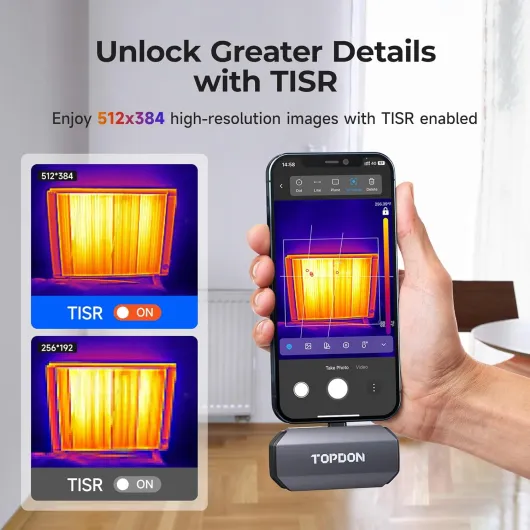
After using it on an iPhone with a Lightning port for a mix of home and work stuff, it’s actually better than I thought. The resolution (256×192, upscaled to 512×384) is not magic, but for this price and format, it’s pretty solid. I can see individual hot components on a PC motherboard, find cold spots around windows, and check which radiator is slacking. That’s basically what I needed.
The app surprised me more than the hardware. I expected some clunky half-translated mess, but it’s mostly clear. You get different color palettes, picture-in-picture with the normal camera, and tools like point/line/area measurements. It’s not pretty, but it’s practical once you spend 10–15 minutes poking through the menus. There are some minor quirks, like settings hiding in odd places, but nothing blocking.
It’s not perfect: there’s a small lag sometimes, the auto calibration click can be annoying if you’re sensitive to noises, and you’re locked to iOS with a Lightning port. But as a regular user, not a thermography pro, I’d say it gets the job done well enough to justify the purchase, especially if you already know what you want to inspect with it.
Is it worth the money compared to other options?
In terms of value, I’d say the TC002 sits in a good spot. It’s not dirt cheap, but it’s clearly below the price of proper pro thermal cameras from big brands. For that cost, you get a real usable resolution, decent refresh rate, and a surprisingly capable app. If you only need to check one thing once in your life, it’s overkill. But if you’re a homeowner, tinkerer, or tech person who will use it several times a year, it starts to make sense.
Compared to some of the cheaper thermal add-ons I’ve seen, the jump in resolution and app features is noticeable. The ability to record video, do time-lapse, draw lines and boxes for min/max, and overlay IR on the regular camera image makes it more than just a novelty gadget. One reviewer said basically “if you want pro-grade FLIR, add a zero to the price,” and that’s a fair way to look at it. This is a middle-ground tool: not pro, not toy.
The main thing that hurts the value is the Lightning limitation. If you’re planning to upgrade to an iPhone with USB-C soon, buying this specific model is a bit of a dead end. In that case, the USB-C version or a standalone unit would be smarter. But if you’re going to keep your Lightning iPhone or iPad for a few more years, you get a lot of functionality for the money.
Overall, I’d call the value “good but situational.” For someone with a compatible iPhone who likes to fix things, check insulation, or troubleshoot electronics, it’s money reasonably spent. For someone who changes phones often or only wants to play with thermal images once or twice, it’s probably more than they need.
Small, light, but the Lightning plug is both nice and limiting
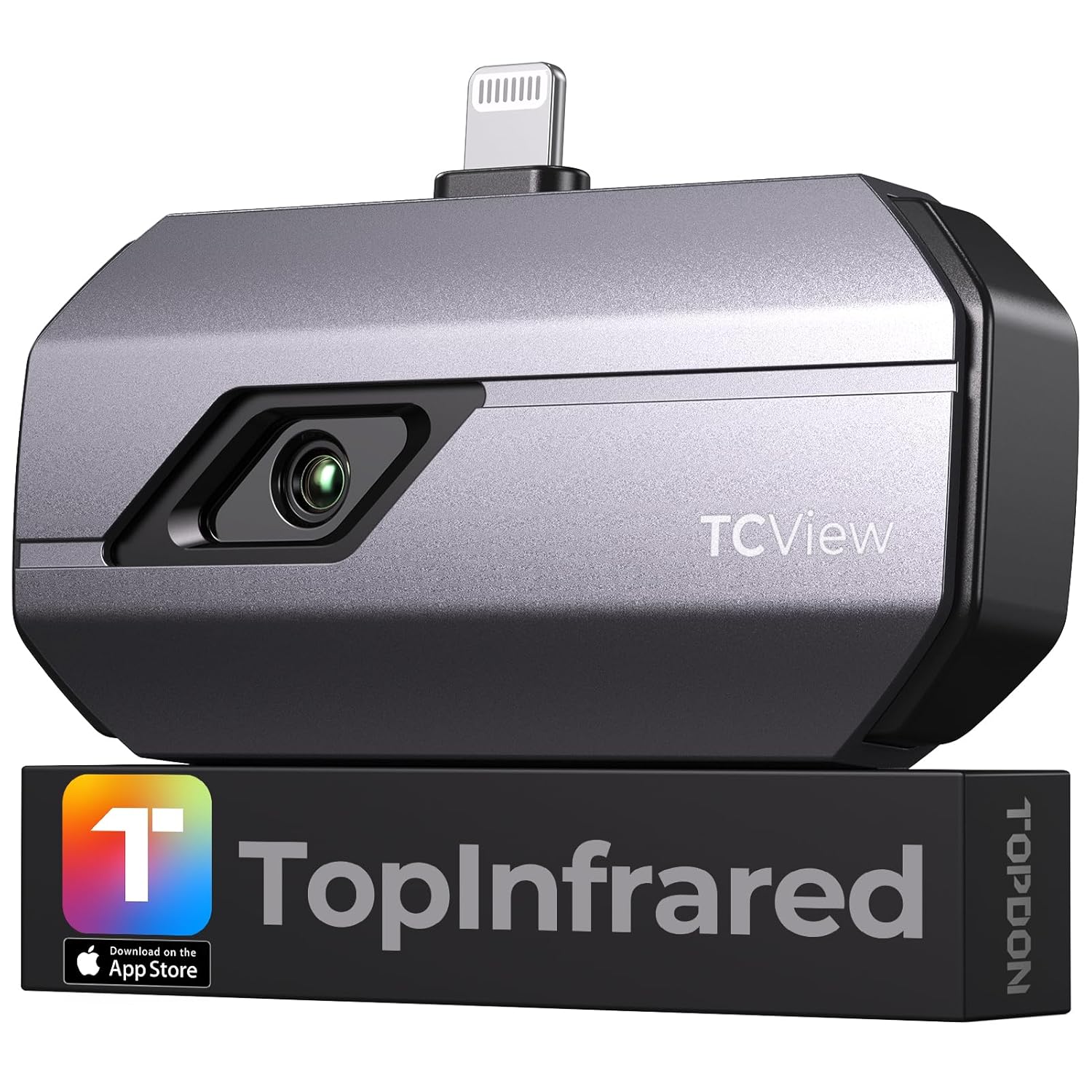
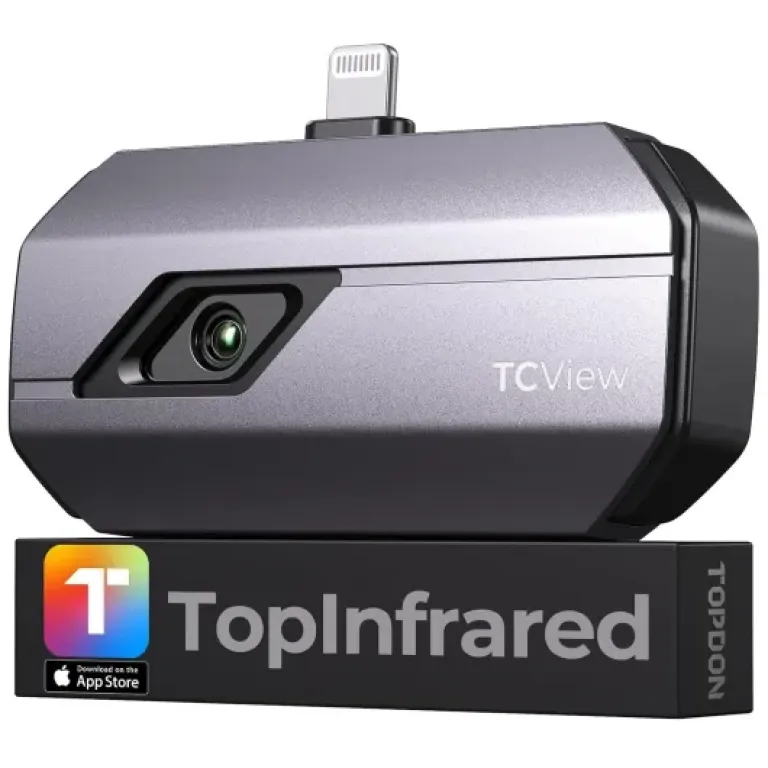
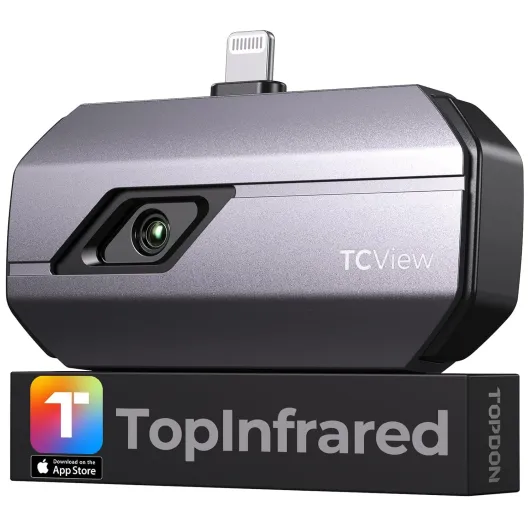
Physically, the TC002 is tiny. It’s about the size of a small USB stick, and it weighs almost nothing. I can toss it in a pocket or a small pouch and forget it’s there. That’s honestly one of the big pros: you’re more likely to actually use it because it’s not another bulky gadget that needs its own bag and charger. It comes with a little case and cables (including a Lightning to USB-C option for some setups), which keeps it from getting lost in a drawer.
The build feels decent. It’s not a rugged brick, but it doesn’t feel like it’s going to fall apart either. The casing has a solid feel, and the connector doesn’t wobble in the phone. I’ve plugged and unplugged it a bunch of times, and there’s no sign of looseness or weird play. That said, like any device hanging off a Lightning port, you don’t want to bump it sideways too hard. I’d avoid walking around with the phone dangling from the camera.
One thing I liked is how fast it’s ready: plug it in, the app pops up (once you set it to auto-open), it does a quick calibration, and you’re good. No power button, no pairing. That “just plug and use” design is simple but effective. The downside is obvious: Lightning only. So this is fine for iPhone 7 up to iPhone 14 and older iPads with Lightning, but if you’re on iPhone 15 or anything with USB-C, this specific version is the wrong pick. The brand even says to pick the TC002C for USB-C.
In the hand, using it feels okay, but you have to remember your phone becomes a bit longer and more fragile at the bottom. I usually hold the phone a little higher to avoid putting pressure on the connector. It’s not uncomfortable, just something to get used to. Design-wise, it’s not pretty or stylish, but it’s compact and practical, which matters more for this kind of tool.
No battery inside, but it still affects your phone
The TC002 itself doesn’t have its own battery, which is both good and bad. Good because you never have to remember to charge it; bad because it draws everything from your iPhone or iPad. The brand claims 6–8 hours on an iPhone and 8–10 hours on an iPad, assuming a full charge and nothing else too heavy running. I didn’t sit there with a stopwatch, but in my use (short sessions of 15–30 minutes), I never felt like it was a battery hog.
To put it in context, I did a full house scan one evening, about an hour of on-and-off use with some photos and short videos. My phone battery dropped roughly 20–25%, which is more than normal idle use, but still acceptable. The phone didn’t overheat or throttle, and the app stayed responsive. So for occasional inspections, the power draw is totally manageable. If you plan to use it continuously for several hours, you’ll probably want a power bank or to plug the phone in.
One thing to keep in mind: because it relies on your phone, your experience will depend on the health of your phone battery. On an older iPhone with a tired battery, you’ll feel the drain more. On a newer device, it’s fine. The app itself doesn’t seem bloated; closing it when you’re done actually stops the camera, so it’s not silently draining in the background.
Overall, the battery situation is simple: no extra charger, no extra cable, but your phone works harder. For me, that trade-off is fine. I’d rather have one less device to remember to charge, even if it costs me a bit more phone battery during each session.
Feels sturdy enough, but treat the connector with respect
Durability-wise, I haven’t abused it, but I also haven’t babied it. It’s been tossed in a bag, pocket, and toolbox, always inside the little case it comes with. The housing still looks clean, no scratches on the lens, and the connector is still tight. For a device this small and light, it gives a decent impression of sturdiness. It doesn’t creak or flex when you squeeze it.
The weak spot, like with any small dongle, is the Lightning connector. If you bump the phone hard while the camera is plugged in, all the force goes through that port. So I’m careful: I hold the phone with two hands when I’m close to objects, and I don’t leave it hanging off the phone while walking around badly lit spaces. That’s more a limitation of the format than this specific product. The included case helps: it keeps dust and junk out of the lens and reduces the chance of physical damage in a bag.
I used it several times in colder rooms and near warm equipment, and it didn’t glitch or crash. The internal shutter that clicks for calibration does its thing regularly, and I haven’t noticed any degradation or weird artifacts in the image over time. One user mentioned you can disable the shutter click if the noise annoys you, which is nice, but I left it on because that’s part of how it stays calibrated.
As long as you’re not throwing it around or letting it dangle from your phone while you sprint, it should hold up fine for normal home and light professional use. I wouldn’t call it industrial-grade rugged, but for typical DIY and tech work, it feels reliable enough.
Image quality, lag, and how accurate the readings feel
Performance-wise, this thing is pretty solid for the price bracket. The base IR resolution is 256×192, and the app upscales it to 512×384. In real life, that means you get enough detail to see individual heating pipes behind drywall outlines, hot chips on a PCB, or cold air leaks around a window frame. It’s not razor sharp like a high-end industrial camera, but it’s good enough to understand what’s going on without squinting too hard.
The 25 Hz refresh rate is decent. Most of the time, movement looks smooth enough. I did notice a bit of lag here and there, especially when the app is doing more (like overlays or recording video), which matches what one of the Amazon reviewers mentioned. It’s not unusable lag, more like a slight delay when you pan quickly. For static inspections—walls, equipment, doors—it’s totally fine. If you’re trying to chase a fast-moving animal in the dark, you’ll feel the delay a bit more.
On temperature accuracy, I compared it against a simple contact thermometer and a cheap IR gun. Out of the box, readings were usually within a few degrees, sometimes off by 3–5°F, which is okay for general inspection. After letting it run a bit and playing with calibration, it seemed to stabilize and get closer. It’s definitely not a lab instrument, but for “is this breaker hotter than the others” or “is this window corner much colder than the wall,” it’s more than enough. The sensitivity (40 mK) does show up: you can clearly see small temperature gradients on surfaces.
The measurement tools are actually one of the better parts: you can set a point, draw a line, or mark a rectangle and get min/max temps in that region. For example, I drew a line across a door frame to see where the cold draft was strongest, and a rectangle on a ceiling to check if the insulation was consistent. That’s way more useful than just a single central spot. Overall, performance is good for home and light professional use, with some minor lag and the usual consumer-level accuracy limits.
What the TC002 actually offers in real life
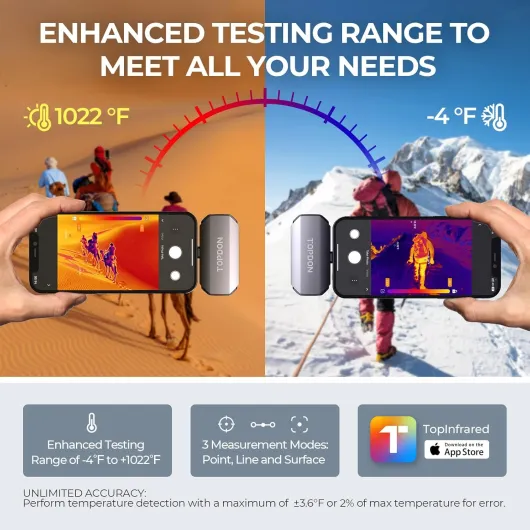
On paper, the TOPDON TC002 for iOS looks pretty loaded: 256×192 IR resolution, software upscaled to 512×384, temperature range from -4°F to 1022°F, 25 Hz refresh rate, and a claimed sensitivity of 40 mK. In practice, that translates to: you can spot small temperature differences on pipes, walls, electronics, and even animals at short to medium distance. You’re not going to read a label at 20 meters, but you can easily check a breaker panel or a radiator from a couple of meters away.
The camera plugs into your iPhone or iPad via Lightning and uses the “TopInfrared” app. Once connected, it powers off your device, so there’s no battery to charge in the camera itself. The brand also mentions low power consumption, and that matches what I saw: my iPhone battery drains faster, but not in a brutal way. I could walk around the house for an hour scanning walls, doors, and windows without the phone freaking out or getting hot.
The app gives several modes: standard thermal view, picture-in-picture (IR overlaid on the normal camera), line and area measurement, and time-lapse/recording. I used picture-in-picture a lot for walls and doors because it helps you understand what you’re actually looking at instead of just a fuzzy blob. The line and rectangle tools are handy when you want to see temperature variation along a window frame or heater pipe instead of just a single point.
Overall, in day-to-day use, the TC002 is basically a diagnostic tool for curious people: checking insulation, looking for hot spots in electronics, verifying that your heated floor actually heats evenly, stuff like that. If you need certified reports or advanced analysis, this is not that. But if you want to visually understand where heat goes or where things are hotter/colder than they should be, it does the job pretty well.
How useful it really is for home, HVAC, and random projects
Effectiveness is where this camera actually earns its place. I bought it mainly to track down where my heating and cooling money was leaking. In one evening I checked windows, doors, attic hatch, radiators, and some suspect wall spots. It clearly showed cold zones around my front door seal and a chunk of wall that was much colder than the rest. That pushed me to add weatherstripping and check insulation. You don’t get that kind of overview with a simple laser temp gun, because with this you see the whole surface at once.
For electronics and IT gear, it’s also pretty handy. I pointed it at a running desktop PC, a network switch, and a couple of servers. You can instantly pick out the hot components, see if a heatsink is doing its job, and spot one port on a switch that’s running way hotter than the others. A reviewer mentioned using it on Dell servers and cameras; that lines up with my experience: for troubleshooting “what’s running hot,” it’s genuinely useful.
I also tried it on some random stuff: checking underfloor heating, looking at a car engine after a drive, and scanning a wall after a shower to see moisture/temperature differences. It handled all of that without any issue. The wide temperature range up to 1022°F is overkill for me, but it’s nice to know it won’t choke on hotter surfaces like exhaust parts or very hot pipes. For normal home use, you’re mostly living in the -4°F to 200–300°F band anyway.
Is it perfect? No. You still need to understand basic thermal camera limitations: shiny metal can give weird readings, distance matters, and emissivity plays a role. But if you’re even a bit willing to learn, the camera gives you enough tools—different palettes, measurement modes, and picture-in-picture—to make real, practical decisions. For a regular user, it’s not just a toy; it actually helps you find where things are off.
Pros
- Good usable thermal resolution with clear enough detail for home and light professional checks
- App is practical with point/line/area measurements, picture-in-picture, and video/photo recording
- Compact, plug-and-play design with no extra battery to charge
Cons
- Only works with iOS devices that have a Lightning port, not compatible with iPhone 15 and newer
- Occasional image lag and consumer-level temperature accuracy
- Connector format makes it vulnerable if the phone is bumped while plugged in
Conclusion
Editor's rating
The TOPDON TC002 for iOS is a compact thermal camera that actually pulls its weight in real-world use. It gives you clear enough images to see where heat is leaking, which components are running hot, and how temperature spreads across surfaces. The app is more capable than it looks at first, with measurement tools, different palettes, and video/photo recording that make it a practical inspection tool rather than just a toy. For home energy checks, basic HVAC work, and electronics troubleshooting, it does what it’s supposed to do without too much hassle.
It’s not flawless. There’s occasional lag in the image feed, the temperature accuracy is “good enough” rather than perfect, and the whole thing is locked to iOS devices with a Lightning port. If you’re already on USB-C or planning to switch soon, this specific version is not ideal. But if you’re sitting on an iPhone 7–14 or a Lightning iPad and you actually have use cases in mind—insulation, wiring, servers, 3D printers, beekeeping, whatever—then the TC002 is a solid, no-nonsense option. People who need certified reports or pro diagnostics should look higher up the ladder, but for curious and hands-on users, it offers good value and practical functionality.