

Understanding the essentials of live streaming cameras
Why Camera Choice Matters for Live Streaming
When it comes to live streaming, the camera you select can make a significant difference in the quality of your content. Whether you are a professional in video production or a content creator just starting out, the right streaming camera helps you deliver sharp, vibrant video that keeps viewers engaged. The market offers a wide range of cameras live, from compact point shoot models to advanced mirrorless cameras, each with unique features suited for different streaming needs.
Understanding Video Quality and Sensor Types
Video quality is a top priority for streamers. The sensor type inside your digital camera plays a crucial role in determining image clarity, color accuracy, and low-light performance. Full frame sensors generally offer superior quality, but even smaller sensors can produce great results with the right lens and settings. Wide angle and ultra wide lenses are popular among creators vloggers who want to capture more of their environment, while a zoom lens can help focus on specific details during a live session.
Live Streaming Needs: From Home Studios to Professional Production
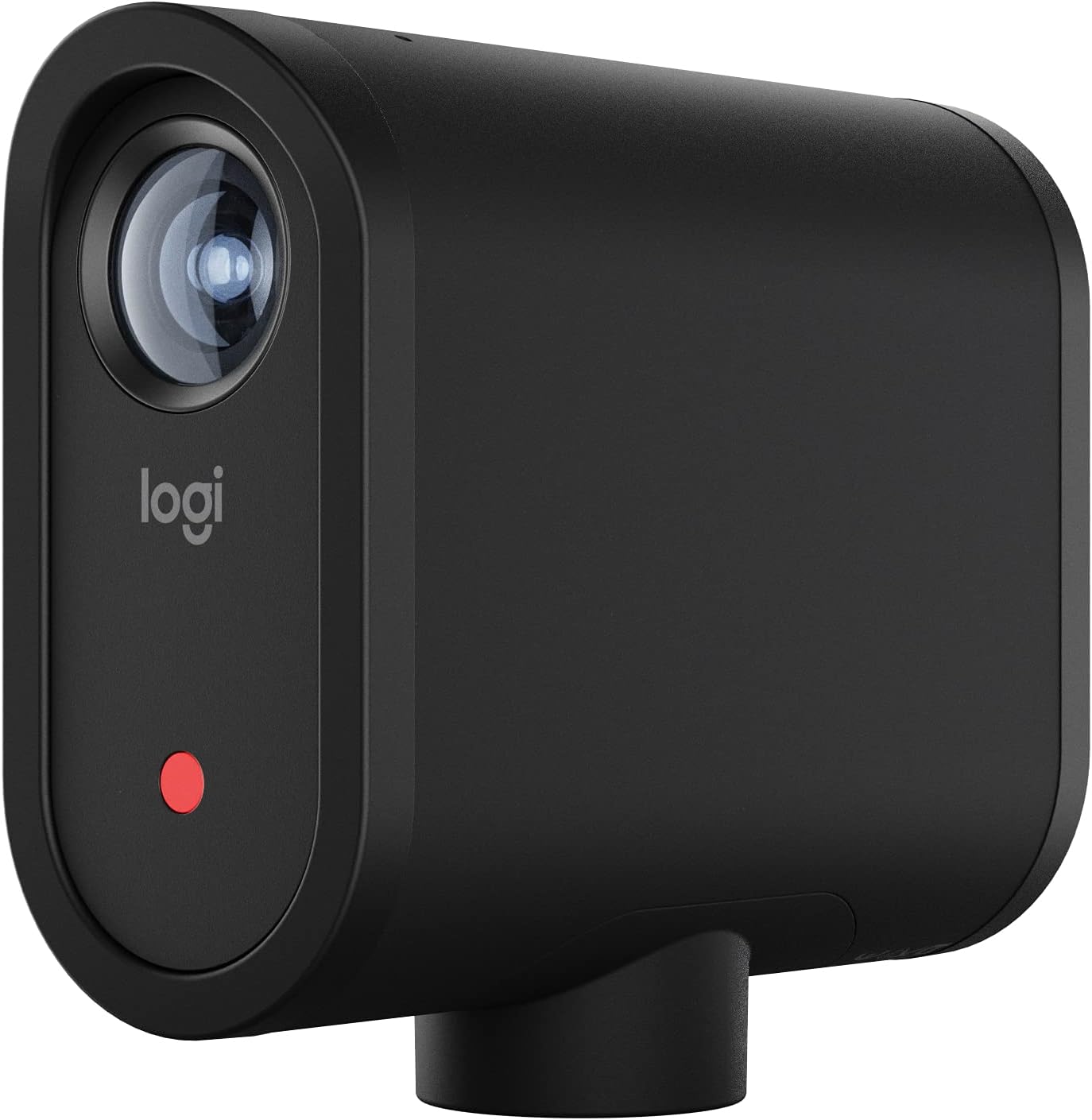
Streaming cameras are used in a variety of settings, from home studios to large-scale video production. Some cameras are designed specifically for streaming content, like the Mevo Start, which offers features tailored for live broadcasts. Others, such as mirrorless cameras, provide flexibility for both streaming and traditional photography. It's important to consider the type of content you plan to produce, as well as the environment in which you'll be streaming.
Customer Reviews and Product Descriptions: What to Look For
Before making a purchase, many buyers turn to customer reviews and product descriptions on platforms like Amazon. Pay attention to star ratings and detailed feedback about video quality, ease of use, and reliability. Look for mentions of features like lens video compatibility, streaming camera connectivity, and whether the camera offers a wide angle or zoom lens option. These insights can help you find a camera that matches your streaming goals.
Exploring Specialized Camera Options
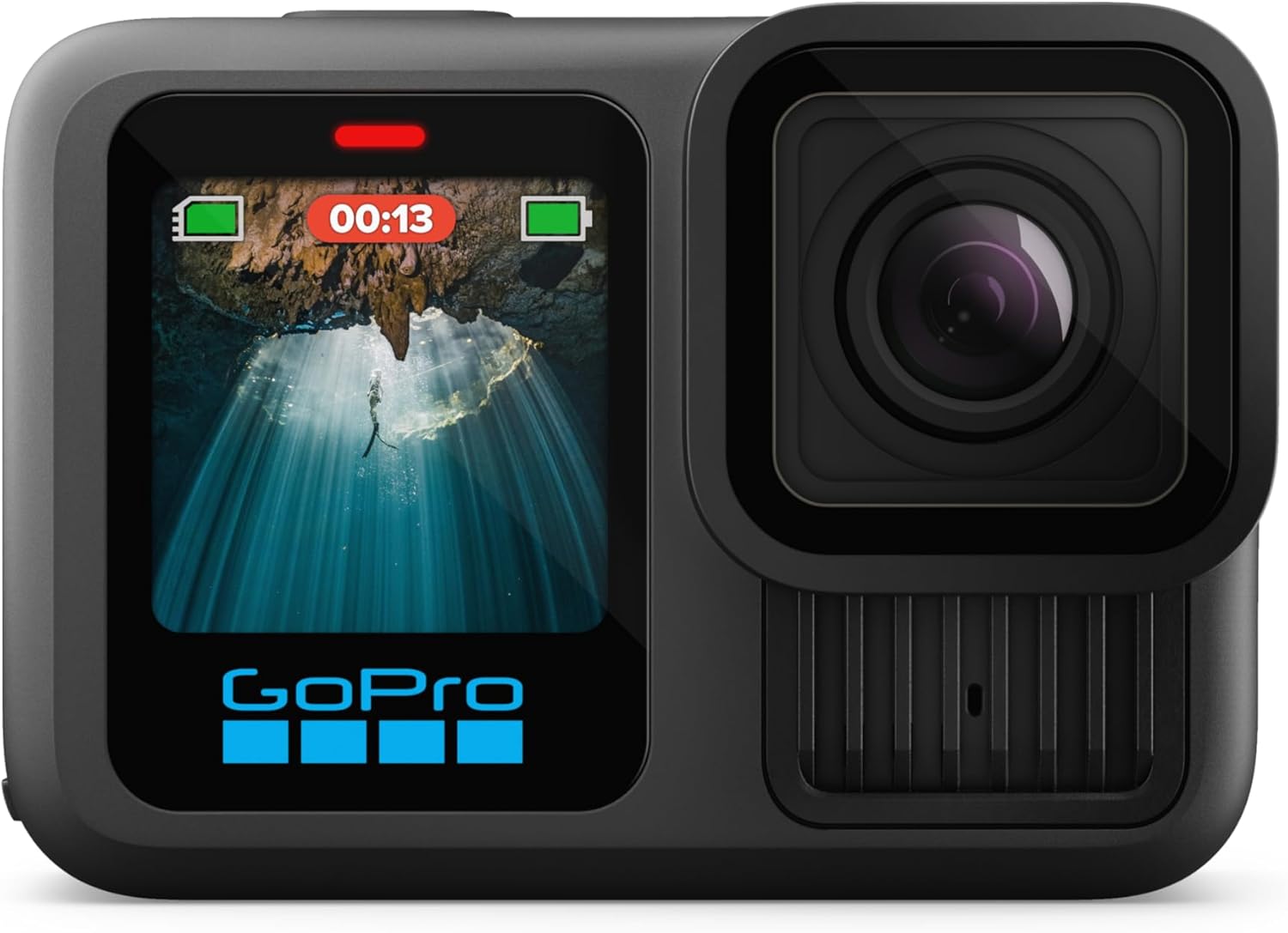
For those interested in unique streaming environments, such as underwater video production, specialized cameras are available. If you want to learn more about capturing stunning underwater photos, check out this guide on top picks for underwater cameras. These cameras are built to withstand challenging conditions while maintaining high video quality.
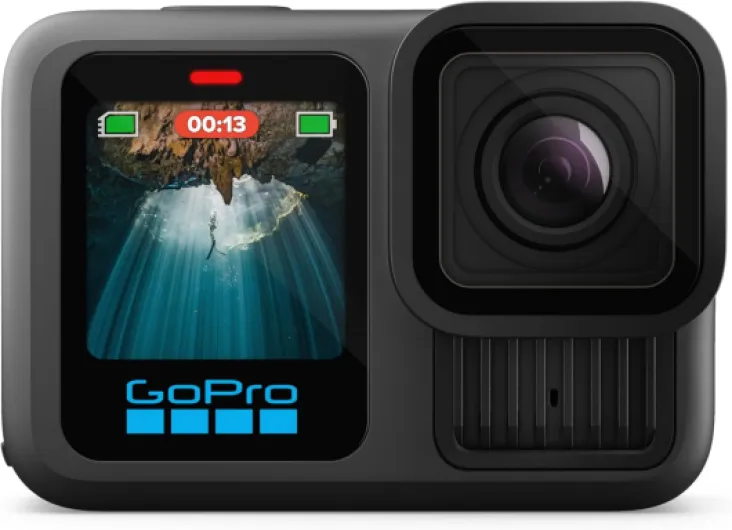
- + Waterproof
- + 5.3K60 Video
- + 27MP Photo
- + Compatible with HB-Series Lenses

Key features to look for in a streaming camera
What Makes a Camera Stand Out for Streaming?
When choosing a camera for live streaming, certain features can make a real difference in your video production quality and the overall experience for your viewers. Not all cameras are created equal, and understanding what to look for helps content creators, vloggers, and professionals alike.
- Sensor Size and Type: The sensor is the heart of any digital camera. Full frame sensors generally offer better low-light performance and a wider dynamic range, but APS-C and Micro Four Thirds sensors can also deliver great results for streaming content. Mirrorless cameras are popular for their compact size and advanced sensor technology.
- Video Resolution and Frame Rate: For sharp, professional-looking streams, look for cameras that support at least 1080p (Full HD) video. Many streaming cameras now offer 4K, which is ideal for creators aiming for ultra high-definition content. Higher frame rates (like 60fps) ensure smoother motion, especially for fast-paced live events. For a deeper dive into video resolution capabilities, check out this guide on video resolution.
- Lens Options: Interchangeable lens cameras (like mirrorless and DSLR models) give you flexibility. A wide angle or ultra wide lens is great for capturing more of your environment, while a zoom lens lets you focus on specific details. For simple setups, a point shoot camera with a quality built-in lens can also work well.
- Autofocus Performance: Fast, accurate autofocus is crucial for live streaming, especially if you move around or showcase products. Look for cameras with reliable continuous autofocus and face tracking.
- Connectivity: Streaming cameras should offer easy connections to your computer or streaming device. HDMI output, USB streaming, and Wi-Fi are common features. Some cameras, like the Mevo Start, are designed specifically for live streaming and offer direct streaming capabilities.
- Audio Input: Good video needs good audio. Check if the camera has a microphone input or supports external audio devices for professional sound quality in your streams.
- Battery Life and Power Options: Live streaming can be demanding. Cameras that offer long battery life or support for continuous power (via AC adapter or USB) are better suited for extended sessions.
How Reviews and Product Descriptions Help
When shopping for a streaming camera on platforms like Amazon, pay attention to the product description, customer reviews, and star ratings. These insights reveal real-world performance, ease of use, and potential issues. Look for feedback on video quality, autofocus, and reliability during live streaming sessions. Reviews from other content creators and vloggers can highlight strengths and weaknesses you might not notice from the specs alone.
Matching Camera Features to Your Streaming Needs
Consider the type of content you plan to produce. For solo creators or vloggers, a compact mirrorless camera with a wide angle lens might be ideal. For multi-camera live production, cameras with clean HDMI output and remote control features offer more flexibility. If portability is key, point shoot cameras or dedicated streaming cameras like the Mevo Start are worth considering. Always match the camera’s features to your streaming goals and workflow for the best results.
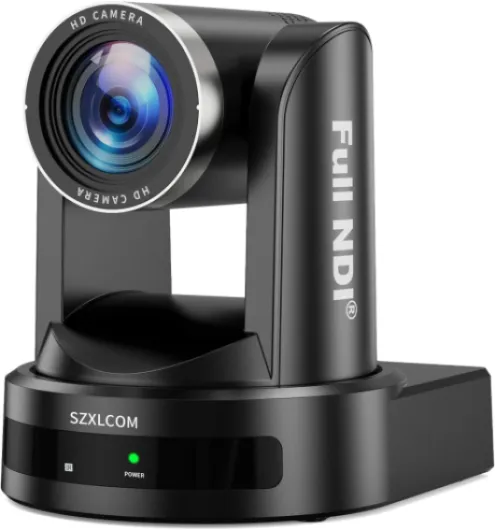
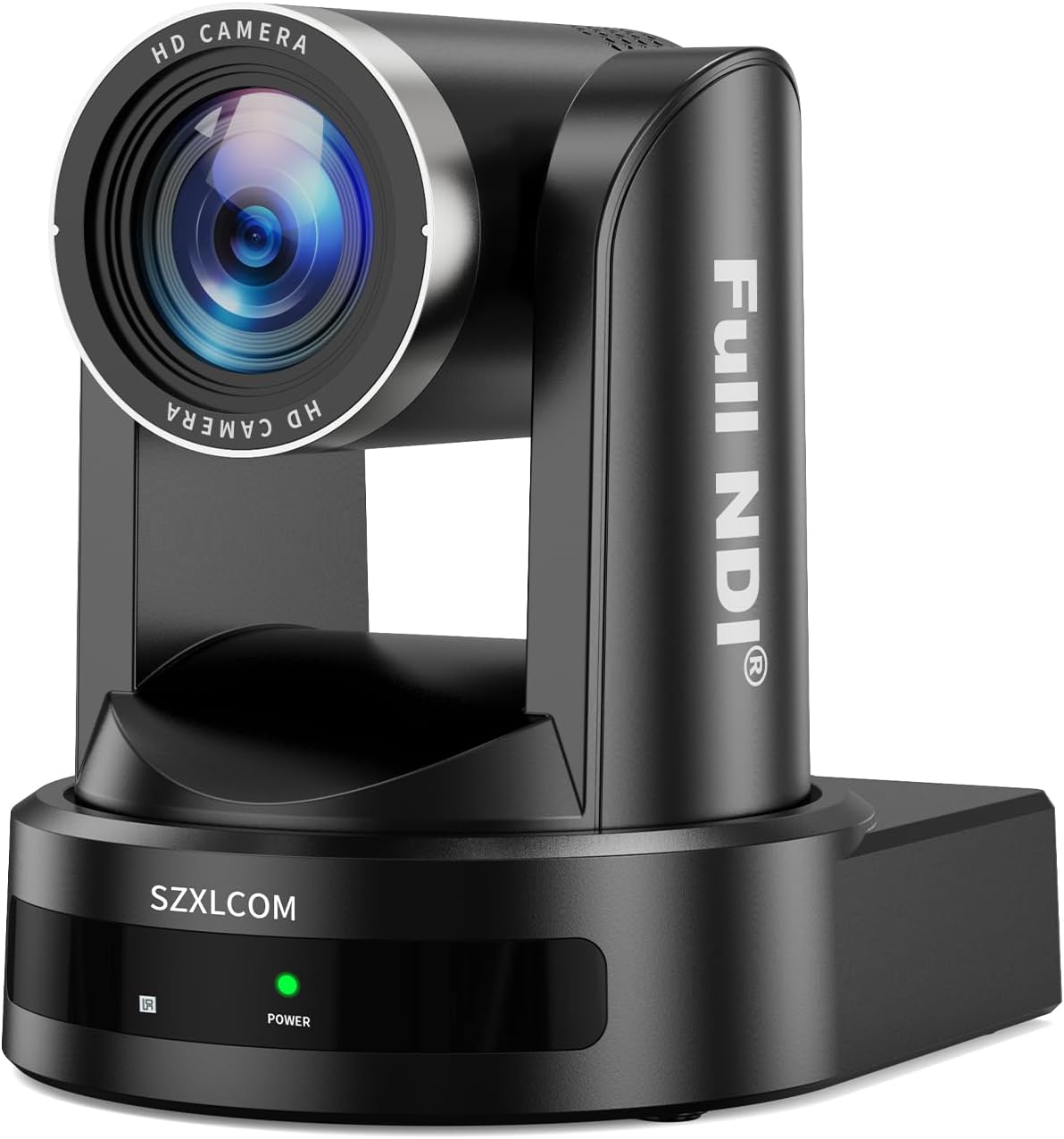
- + 20X Optical Zoom for detailed video capture
- + Supports HDMI, SDI, and USB3.0 connectivity
- + Ideal for Live Streaming and Video Conferencing
- + Compatible with vMix, Zoom, and OBS
- + High definition 1080p60 video quality
Popular camera types for live streaming
Mirrorless Cameras: Versatile Tools for Creators
Mirrorless cameras have become a top choice for live streaming and video production. They offer interchangeable lenses, advanced sensors, and compact designs. Many content creators and vloggers appreciate their ability to deliver high video quality, even in low-light conditions. Popular models often feature wide angle or ultra wide lens options, giving you flexibility in framing your streaming content. Customer reviews on Amazon frequently highlight the great balance between portability and professional features. If you want to explore creative possibilities, such as monochrome photography with digital cameras, mirrorless cameras are a strong contender.
Webcams: Simple and Effective for Beginners
Webcams are a practical choice for those starting with live streaming. They are easy to set up, often plug-and-play, and work well for video calls or casual streaming. While webcams may not match the sensor size or lens quality of dedicated digital cameras, recent models offer HD or even 4K streaming. Many streaming cameras in this category are highly rated for their affordability and ease of use. Product descriptions and customer reviews often mention their reliability for everyday streaming content.
Action Cameras: Compact and Durable
Action cameras are designed for mobility and durability. These cameras are great for creators who need to stream on the go or in challenging environments. Their wide angle lenses capture more of the scene, making them suitable for dynamic content. The compact size and rugged build mean you can take them almost anywhere. While their sensor size is smaller than full frame or mirrorless cameras, they still offer impressive video quality for live streaming.
Camcorders: Built for Long-Form Streaming
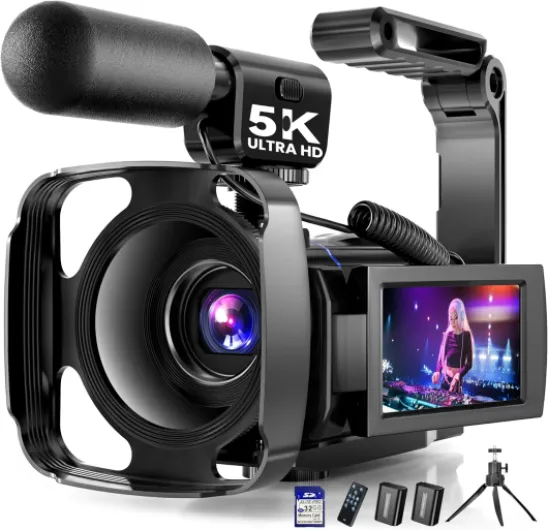
Camcorders remain a reliable option for extended live streaming sessions. They are designed for continuous video recording, with features like optical zoom lens and built-in stabilization. Many camcorders offer professional audio inputs and controls, making them suitable for more advanced video production. Reviews often mention their comfort for handheld use and the ability to stream for hours without overheating.
Specialty Streaming Cameras: Mevo Start and More
Dedicated streaming cameras like the Mevo Start are tailored for live streaming. These cameras offer features such as built-in streaming capabilities, wireless connectivity, and compact designs. They are ideal for creators, vloggers, and small production teams who want a straightforward solution for cameras live. Product descriptions and customer reviews highlight their ease of use and integration with popular streaming platforms.
- Point and Shoot Cameras: Simple controls, good for quick setup, but limited lens options.
- Full Frame Cameras: Best for professional quality, excellent in low light, but higher price and more complex setup.
When choosing the right camera type, consider your content goals, streaming environment, and budget. Each camera type offers unique advantages for live streaming, whether you prioritize portability, video quality, or ease of use.
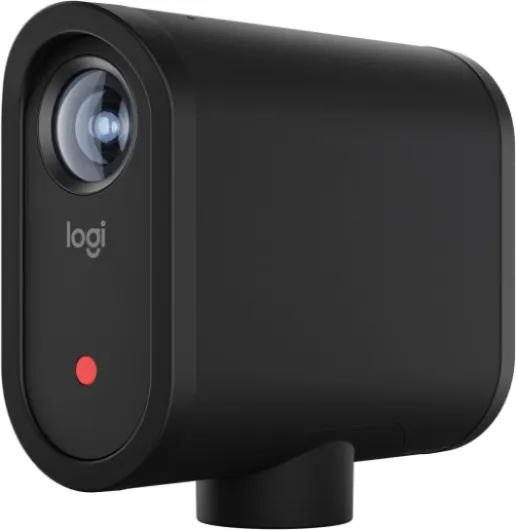
- + Wireless connectivity for easy streaming
- + Delivers 1080p HD video quality
- + Control via smartphone app for convenience
- + Supports streaming over LTE or Wi-Fi
- + Compact and portable design
Comparing top camera models for streamers
How Leading Streaming Cameras Stack Up
When comparing top cameras for live streaming, it’s important to look at real-world performance, customer reviews, and the specific needs of content creators. Here’s a breakdown of some of the most popular camera types and models, focusing on what makes each one stand out for streaming content.| Camera Model | Type | Sensor | Lens Options | Key Features | Customer Reviews |
|---|---|---|---|---|---|
| Sony ZV-E10 | Mirrorless | APS-C | Interchangeable (wide angle, zoom lens) | Great autofocus, flip screen, compact | 4.5 stars on Amazon; praised for video quality and ease of use |
| Canon EOS M50 Mark II | Mirrorless | APS-C | Interchangeable | Clean HDMI, reliable autofocus, good for creators vloggers | 4.7 stars; strong customer feedback on streaming performance |
| Mevo Start | Streaming Camera | 1/2.5-inch CMOS | Fixed ultra wide | All-in-one, wireless, built for live streaming | 4.3 stars; customers like its simplicity for live production |
| Logitech StreamCam | Webcam | 1/3-inch CMOS | Fixed wide angle | USB plug-and-play, auto framing, affordable | 4.6 stars; popular for entry-level streaming content |
| Sony A7C II | Mirrorless | Full frame | Interchangeable | High video quality, compact, professional features | 4.8 stars; praised for professional video production |
What Sets These Cameras Apart
- Mirrorless cameras like the Sony ZV-E10 and Canon EOS M50 Mark II offer flexibility with interchangeable lenses, making them great for creators who want control over their lens video look. They’re popular for both point shoot convenience and professional streaming quality.
- Dedicated streaming cameras such as the Mevo Start are designed for simplicity. They are all-in-one solutions, often with built-in microphones and ultra wide lenses, ideal for quick setup and mobile streaming production.
- Webcams like the Logitech StreamCam are budget-friendly and easy to use. They’re perfect for those starting out or needing a secondary camera for multi-angle live streaming.
- Full frame mirrorless cameras like the Sony A7C II deliver top-tier image quality and low-light performance. These are favored by professionals and those who want the best for their streaming content and video production.
How to Choose Based on Your Needs
- If you’re a content creator or vlogger looking for versatility, mirrorless cameras with interchangeable lenses offer the most creative control.
- For plug-and-play simplicity, streaming cameras and webcams are hard to beat, especially if you’re new to live streaming.
- Consider customer reviews and product descriptions on sites like Amazon to get real feedback on how these cameras perform in real streaming scenarios.
- Think about your streaming setup: do you need a wide angle lens for group shots, or a zoom lens for close-ups? The right lens can make a big difference in your production quality.
Setting up your camera for optimal streaming quality
Positioning and Lighting for Crisp Video
Getting the most out of your streaming camera starts with proper placement and lighting. Position your camera at eye level to create a natural connection with your audience. Good lighting is essential for professional-looking content. Natural light works well, but if you’re streaming indoors, consider investing in LED panels or ring lights. This helps your camera sensor capture clear, vibrant video, reducing noise and improving overall quality.
Optimizing Camera Settings
Most digital cameras and mirrorless cameras offer manual controls that can dramatically improve your live streaming quality. Adjust the exposure, ISO, and white balance to match your environment. A lower ISO keeps your video clean, while proper white balance ensures accurate colors. If your camera offers a wide angle or ultra wide lens, use it to capture more of your background or production space, which is great for creators and vloggers who want to showcase their setup.
Audio Matters as Much as Video
While cameras live or die by their video quality, don’t overlook audio. Many streaming cameras have built-in microphones, but for professional content, an external mic is recommended. This ensures your voice is clear and free from background noise, making your streaming content more engaging for viewers.
Connectivity and Streaming Software
Check your camera’s connectivity options. HDMI and USB outputs are common for streaming cameras, allowing you to connect directly to your computer or streaming device. Some models, like the Mevo Start, offer wireless streaming, which is convenient for mobile setups. Use reliable streaming software to manage your video production and monitor your stream’s quality in real time.
Lens Selection and Framing
The type of lens you use can change the feel of your live stream. A zoom lens offers flexibility for close-ups or wide shots, while a fixed wide angle lens is great for capturing more of your environment. Full frame sensors provide better low-light performance and depth of field, which is ideal for professional video production. Always check the product description and customer reviews on sites like Amazon to see how a camera or lens performs in real-world streaming scenarios.
- Set your camera to the highest supported resolution for sharp video.
- Use manual focus to avoid unwanted shifts during live streaming.
- Test your setup before going live to catch any technical issues.
Customer reviews and star ratings can offer valuable insights into how well a camera performs for streaming. Look for feedback on streaming quality, ease of setup, and reliability. Whether you’re using a point shoot, mirrorless, or a dedicated streaming camera, these steps help ensure your content stands out.
Common challenges and troubleshooting tips
Troubleshooting Common Streaming Camera Issues
When you’re live streaming, even the best digital camera can run into problems. Here are some of the most frequent challenges creators and vloggers face, along with practical solutions to keep your video production smooth and professional.- Blurry or Out-of-Focus Video
This often happens if your lens isn’t clean or your camera’s autofocus is struggling. For mirrorless cameras and point shoot models, make sure the lens is free of smudges. If you’re using a zoom lens or ultra wide lens, double-check the focus settings. Some cameras offer manual focus options for more control, which is great for live streaming content where you want consistent quality. - Lag or Dropped Frames
Streaming cameras rely on a stable internet connection. If your video is choppy, check your upload speed and try a wired connection. Lowering the video resolution can also help if your network is slow. Many customer reviews on Amazon mention that even high stars products can struggle with poor connections, so this is a common issue. - Overheating
Some digital cameras, especially compact or full frame types, can overheat during long live sessions. Give your camera breaks, avoid direct sunlight, and consider external cooling solutions if you stream for hours. - Audio Sync Problems
If your audio doesn’t match your video, check your streaming software’s sync settings. Using an external microphone can also improve audio quality, which is essential for professional content creators. Refer to product descriptions for compatibility with radio microphones. - Incorrect Colors or Exposure
Lighting can make or break your stream. Cameras with larger sensors, like full frame or certain mirrorless cameras, handle low light better. Adjust your white balance and exposure settings for a more natural look. Wide angle and ultra wide lenses can help capture more light, but always review your camera’s settings before going live.
Tips for Maintaining Streaming Quality
- Regularly clean your lens and sensor to avoid dust spots or blurry video.
- Update your camera’s firmware for the latest features and bug fixes.
- Read customer reviews and product descriptions on Amazon to learn about real-world performance and reliability of streaming cameras.
- Test your setup before going live to catch any issues early.
- For multi-camera production, label your cables and check all connections to prevent confusion during live streaming.